Revenue Recognition
Last updated: November 24, 2026
Beta feature: Revenue Recognition is currently in beta. As we continue to refine it, you may occasionally run into unexpected behavior. If anything doesn't look right, please report it to our support team so we can get it addressed.
Overview
Salesbricks Revenue Recognition takes the spreadsheets out of your monthly close. As customers are billed and usage is consumed, the engine posts the right journal entries in real time, tracking deferred balances, recognizing revenue on schedule, and leaving a clean audit trail back to every invoice and payment.
Revenue Overview: current balances and recognition trends at a glance.
Deferred Revenue Schedules: a roll-forward of every active contract.
Revenue Journal Entries: the audit log, exportable to your general ledger.
Revenue Overview
A snapshot of revenue for any period you pick.
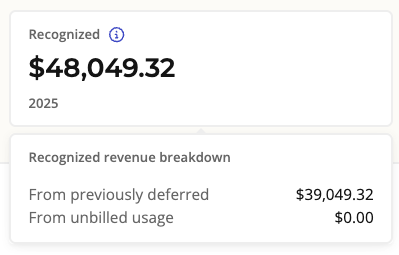
Four KPI cards across the top show Invoiced, Recognized (hover for the split between revenue earned from previously deferred amounts vs. from unbilled work), Ending deferred, and Scheduled to recognize over the next 12 months. The two charts beneath break down monthly earned revenue (by brick type) and deferred balance (with inflow and outflow) over time.
1. Monthly earned revenue
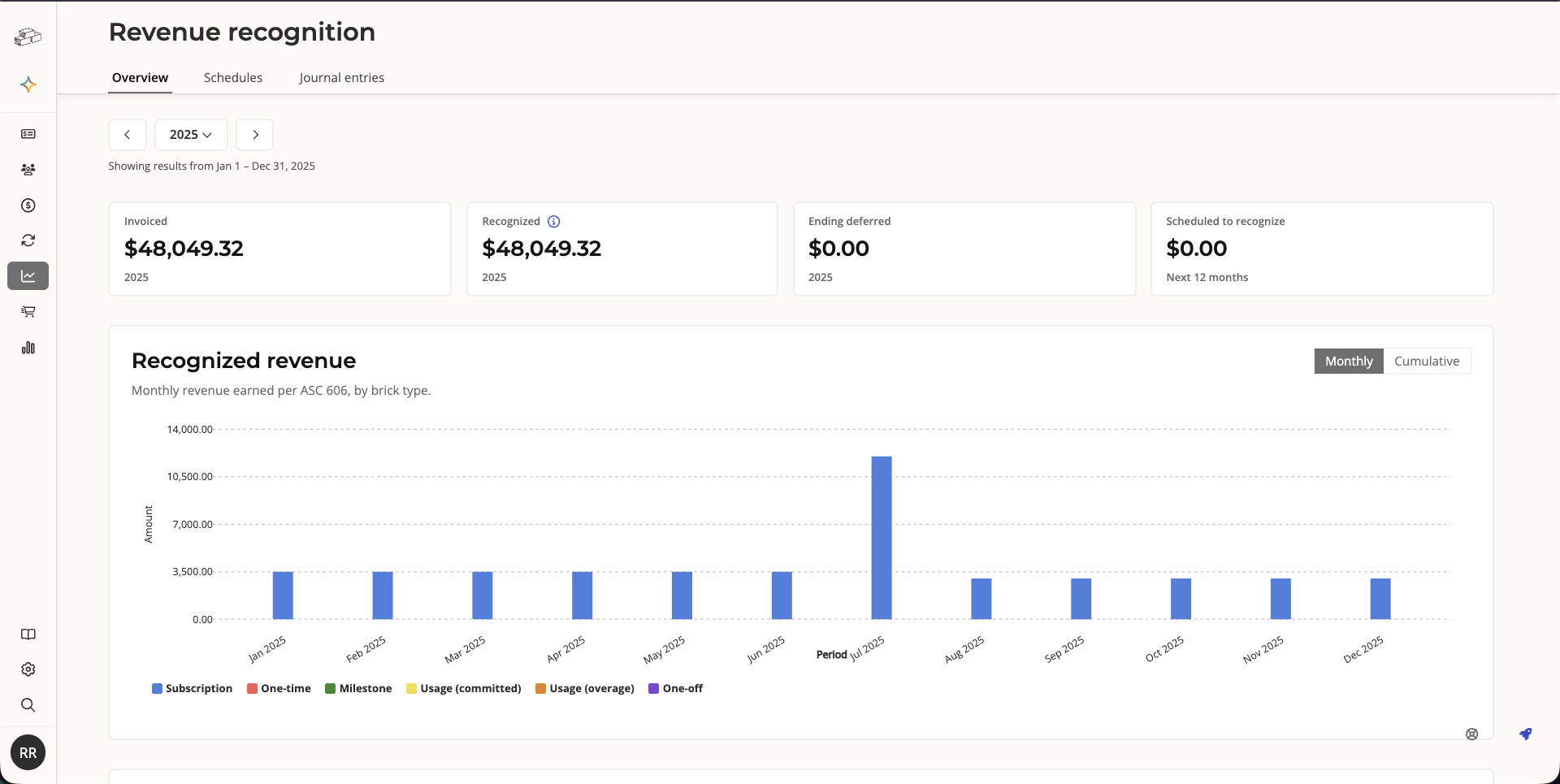
Each bar breaks out earned revenue by brick type:
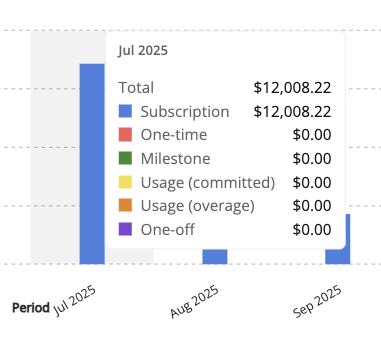
2. Deferred revenue balance
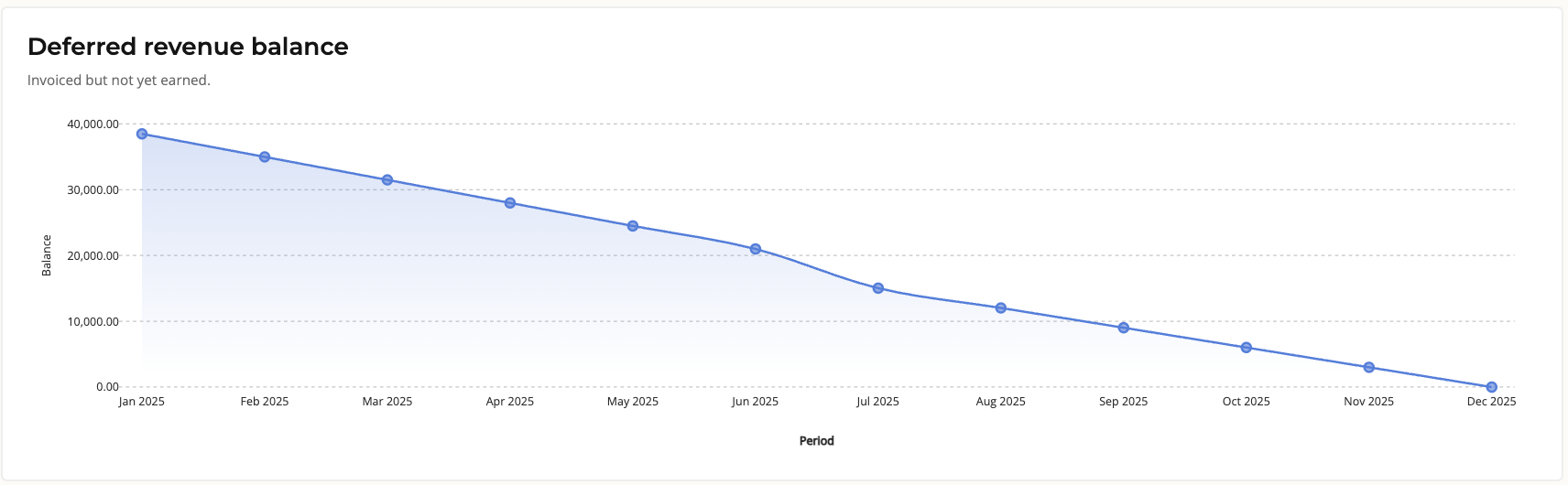
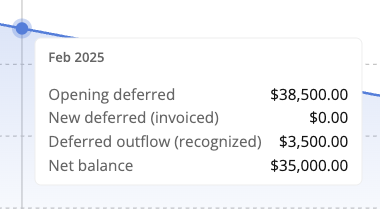
Each point shows the opening balance and how much was recognized that period:
Deferred Revenue Schedules
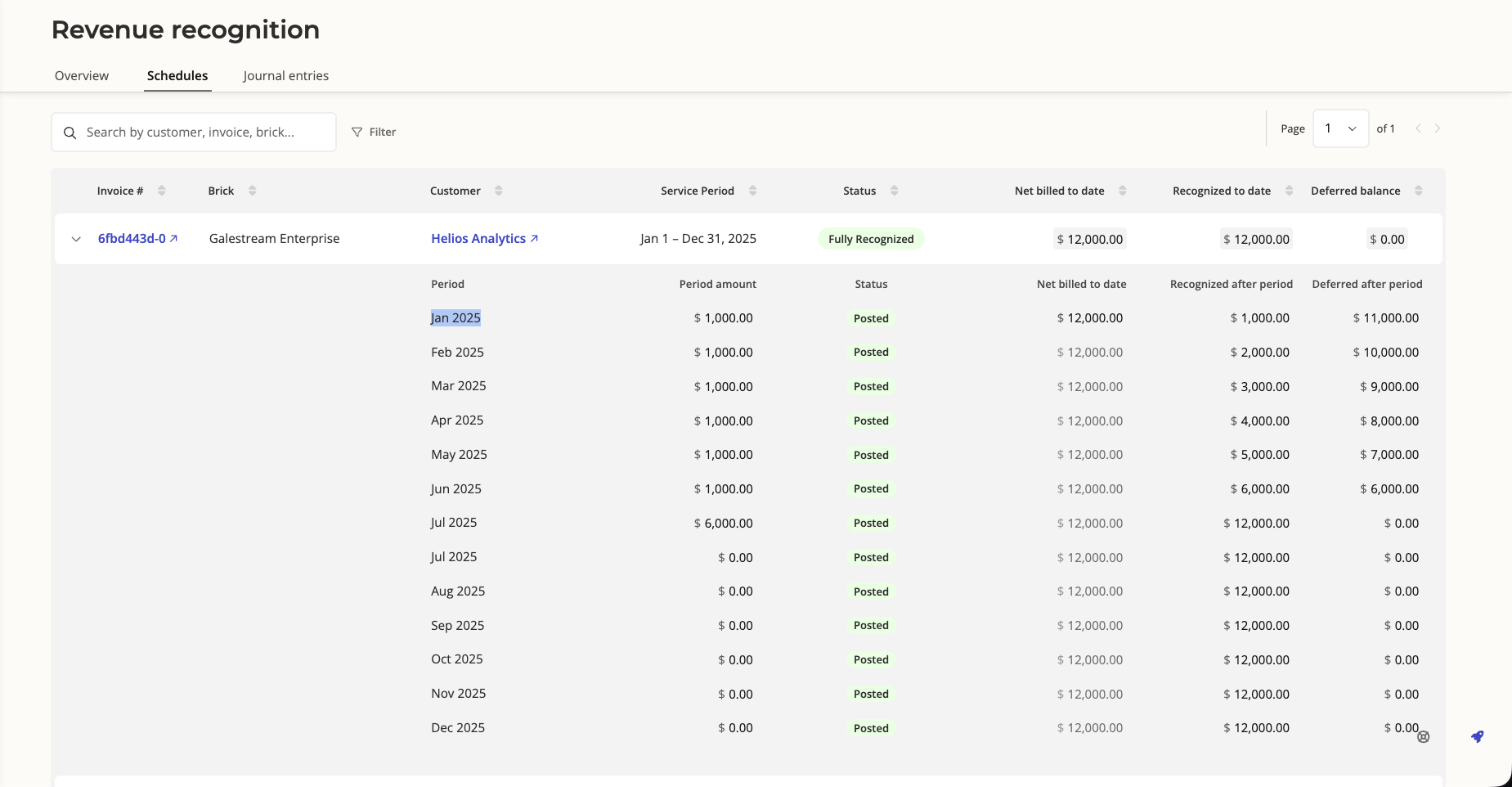
Your deferred revenue roll forward.
Each row is one invoice line item, with: customer, brick, net billed, recognized so far, deferred remaining, and a status of Scheduled, In Progress, or Fully Recognized. Status totals roll up at the top.
Click any row for a month-by-month breakdown of historical and forecasted recognition. Filter by customer, brick, service dates, status, or amount range.
Revenue Journal Entries
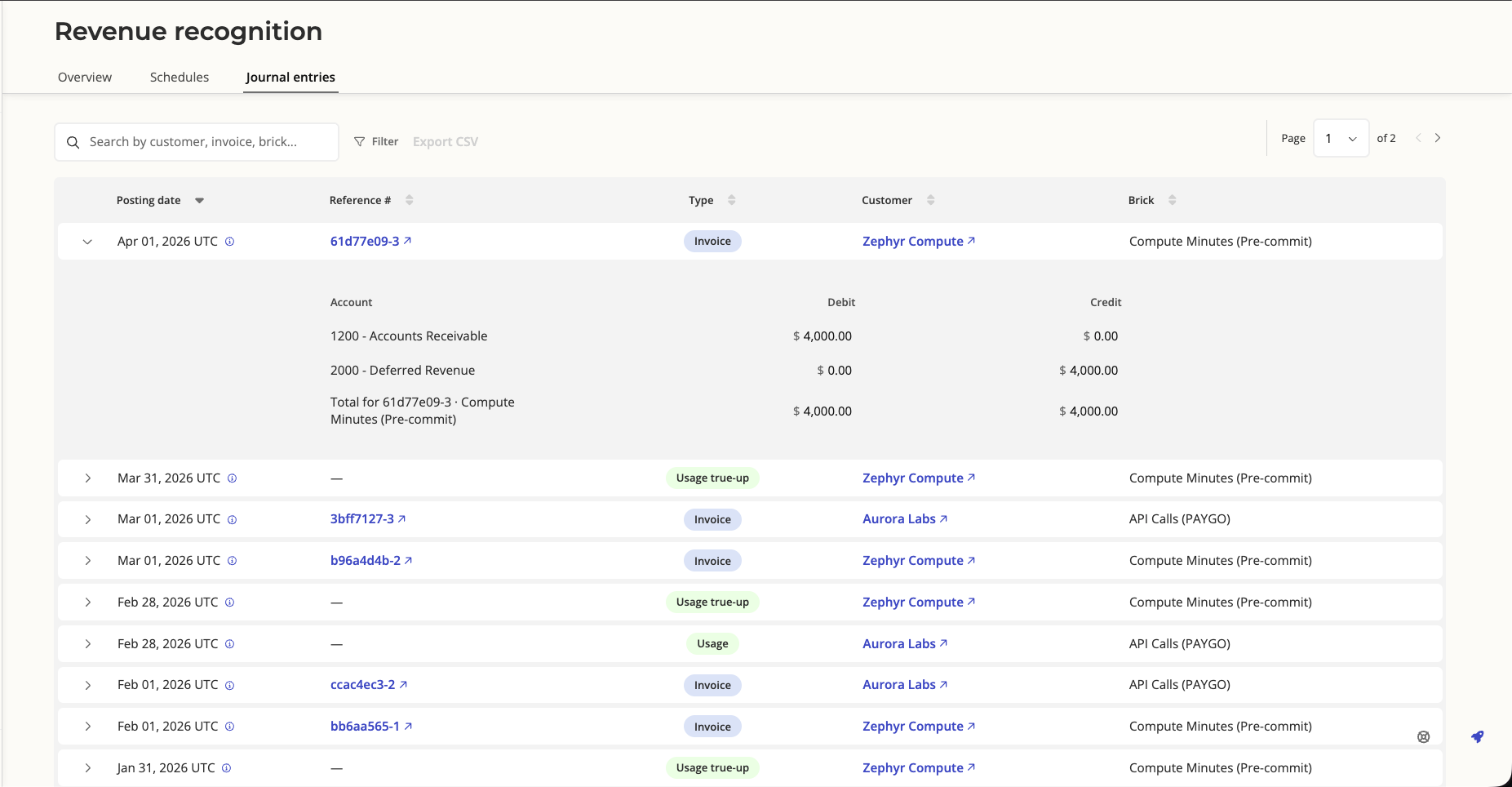
The audit log of every journal entry the engine posts.
Each row shows the posting date, what triggered it (invoice issued, recognition, payment, void, adjustment, etc.), the related invoice or payment, the customer, the brick, and the debit/credit lines.
Click any row for the full debit/credit breakdown by account. Filter by event category, date range, customer, brick, or specific event types. Export to CSV to push everything to your general ledger.