How do I add new Terms and Conditions?
Last updated: May 29, 2024
This article will show you how to add new Terms and Conditions at the company level, which will allow you the option of selecting it as the Terms and Conditions of an open order.
The document must be uploaded in .docx format.
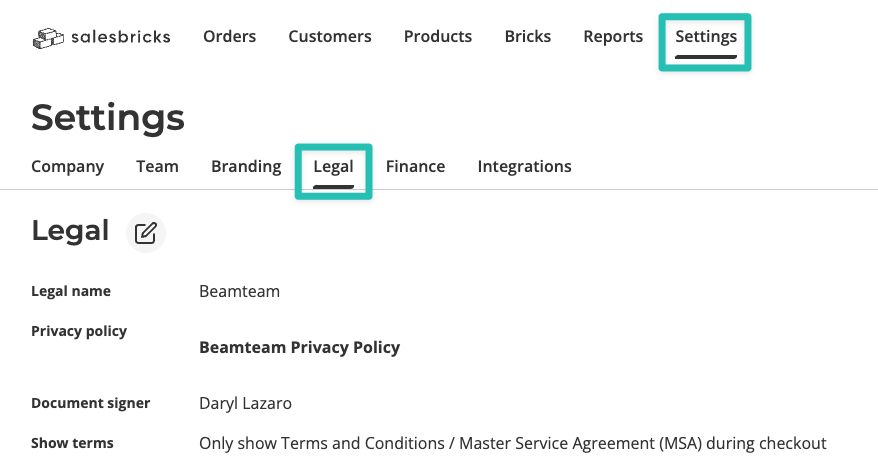
Go to Settings and click the Legal tab.
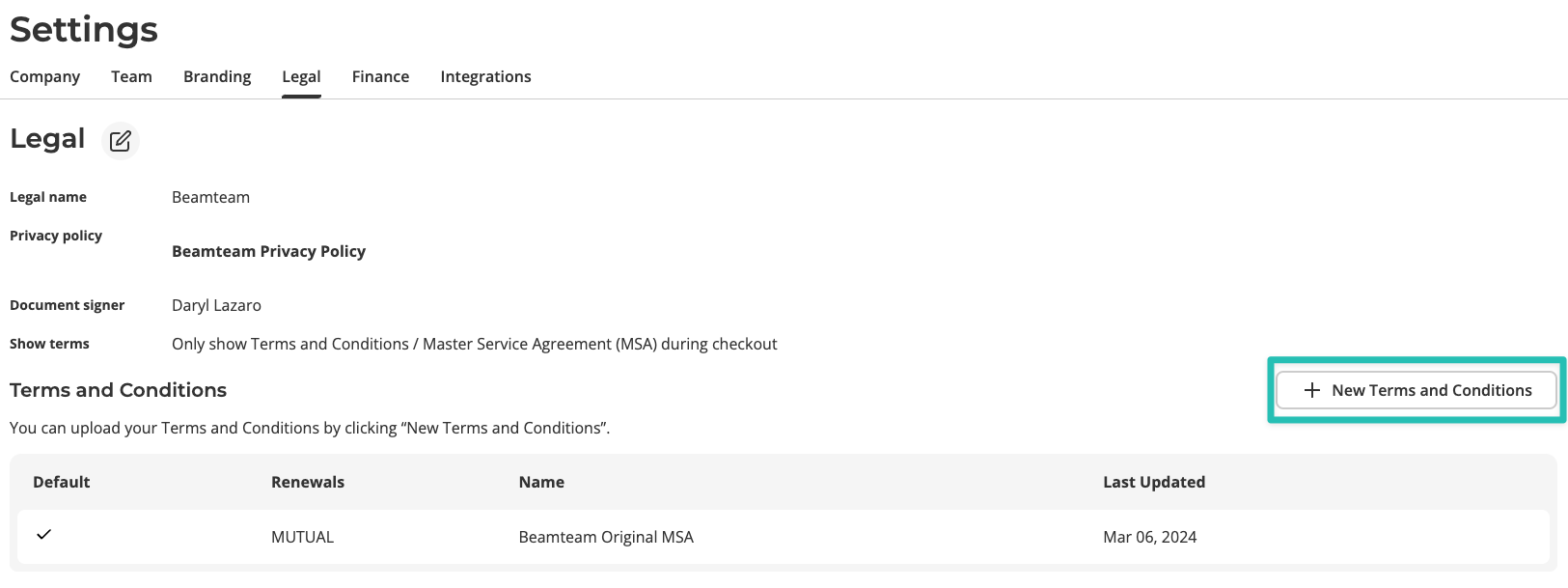
Click New Terms and Conditions.
Under Document name, enter the title or a brief description of your document.
Check the box to assign this document as the default Terms and Conditions.
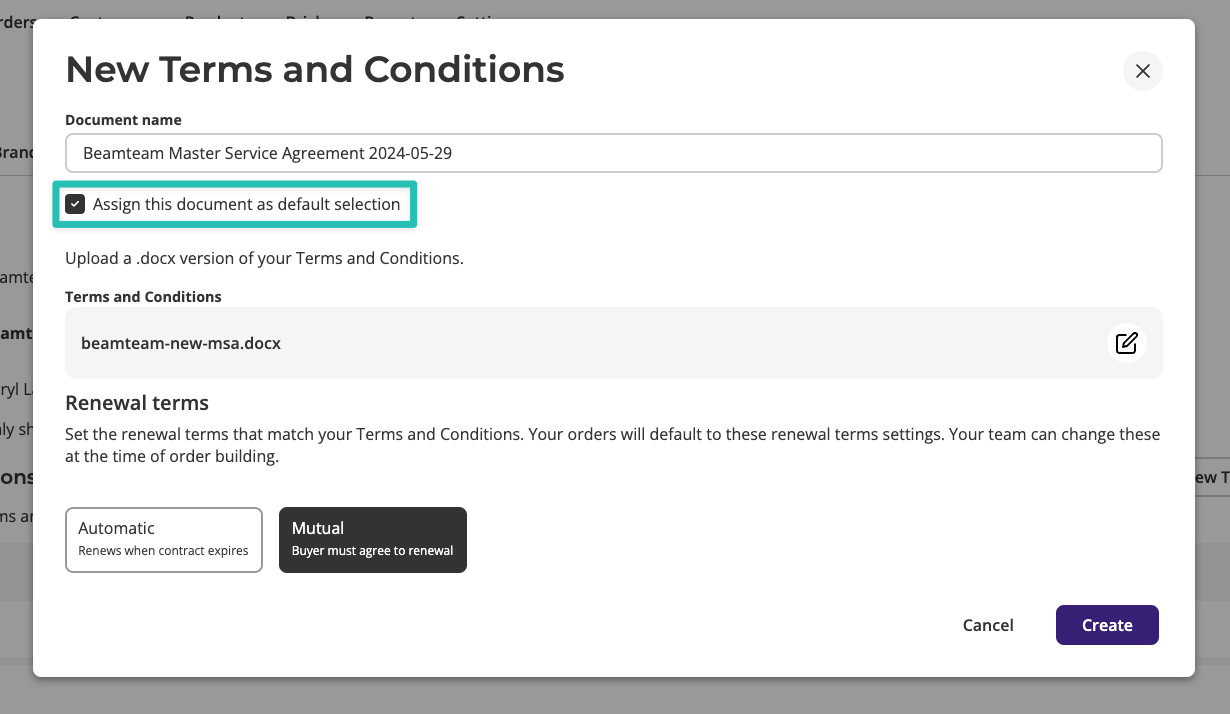
If the box is checked, this document will be the default Terms and Conditions on all new orders going forward.
Upload a .docx version of your Terms and Conditions.
Set the default renewal terms.
Click Create.