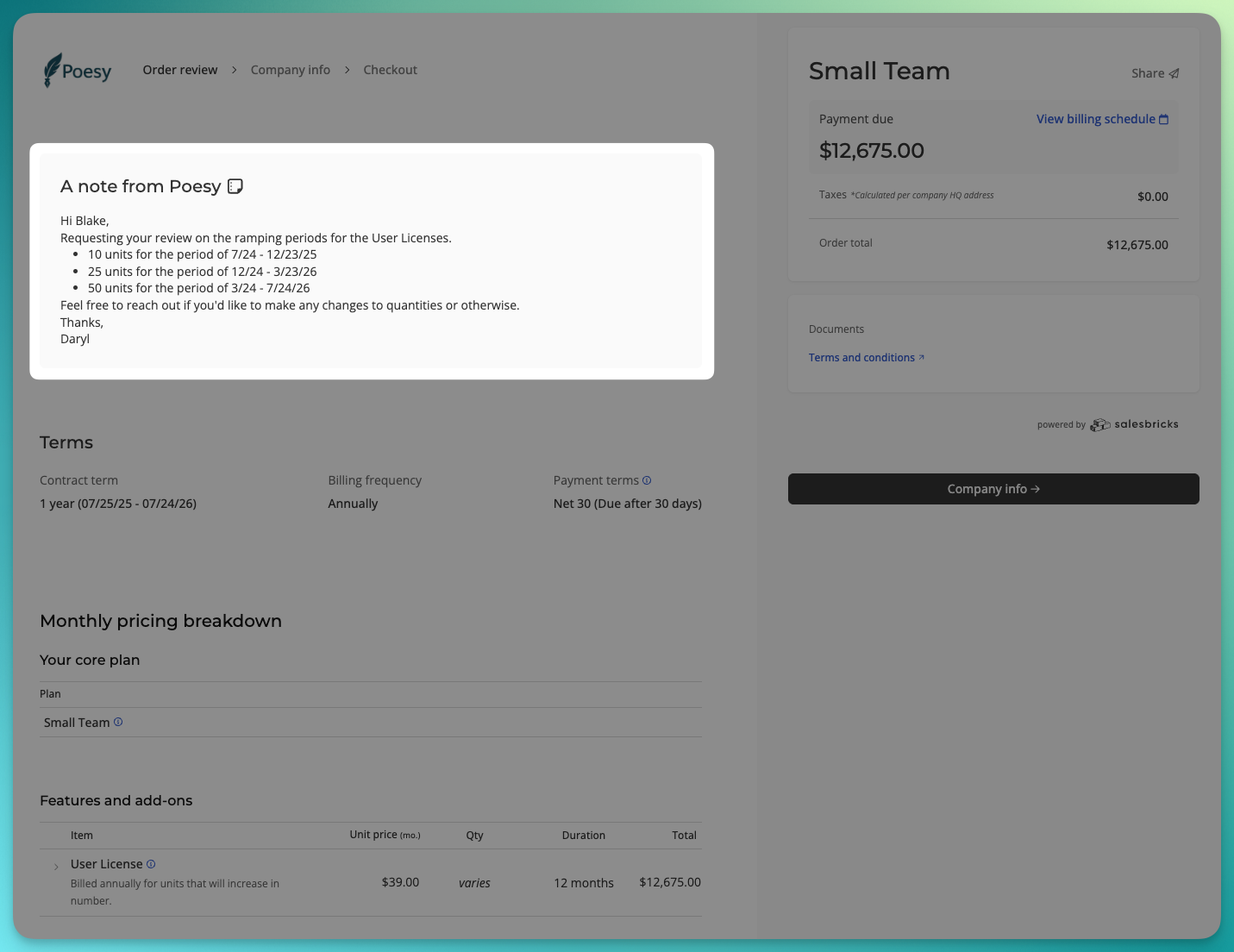
How do I add an order note?
Last updated: September 24, 2025
Context
When building an order, you can add a custom note for your customer.
Use this field to add any personal context during checkout - your notes will not appear in the contract or terms.
Answer
Go to Orders and find an order to edit.
When editing an order, scroll to the section titled "Customize checkout."
Click the accordion to expand this section and add your note to the "Order notes" field.
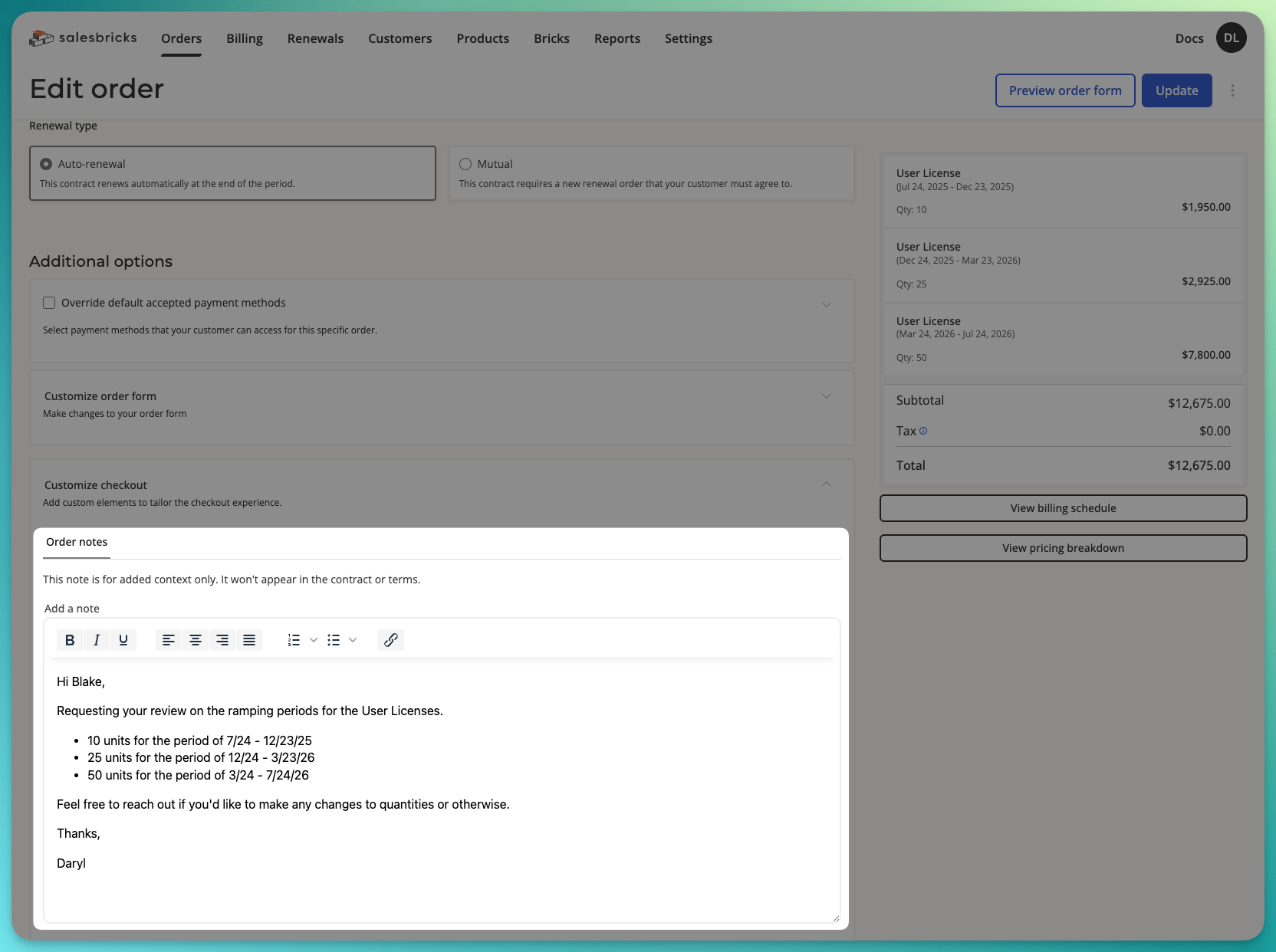
Save your order and share the order link with your customer.
When your customer opens the order link, they will be able to read your note at the top of the page.