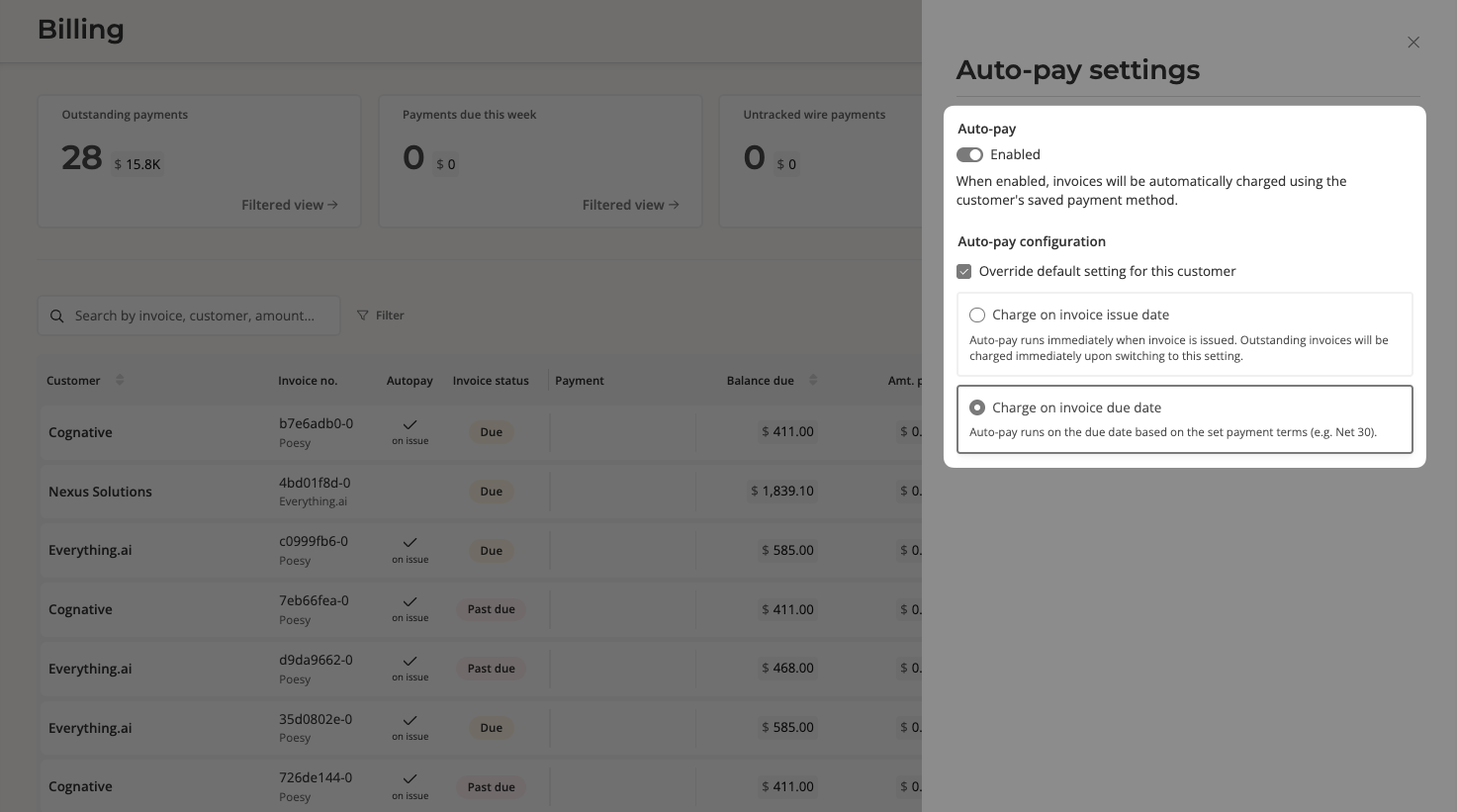
How do I turn a customer's autopay on / off?
Last updated: April 27, 2026
To toggle a customer's autopay:
Go to Billing and search for a customer.
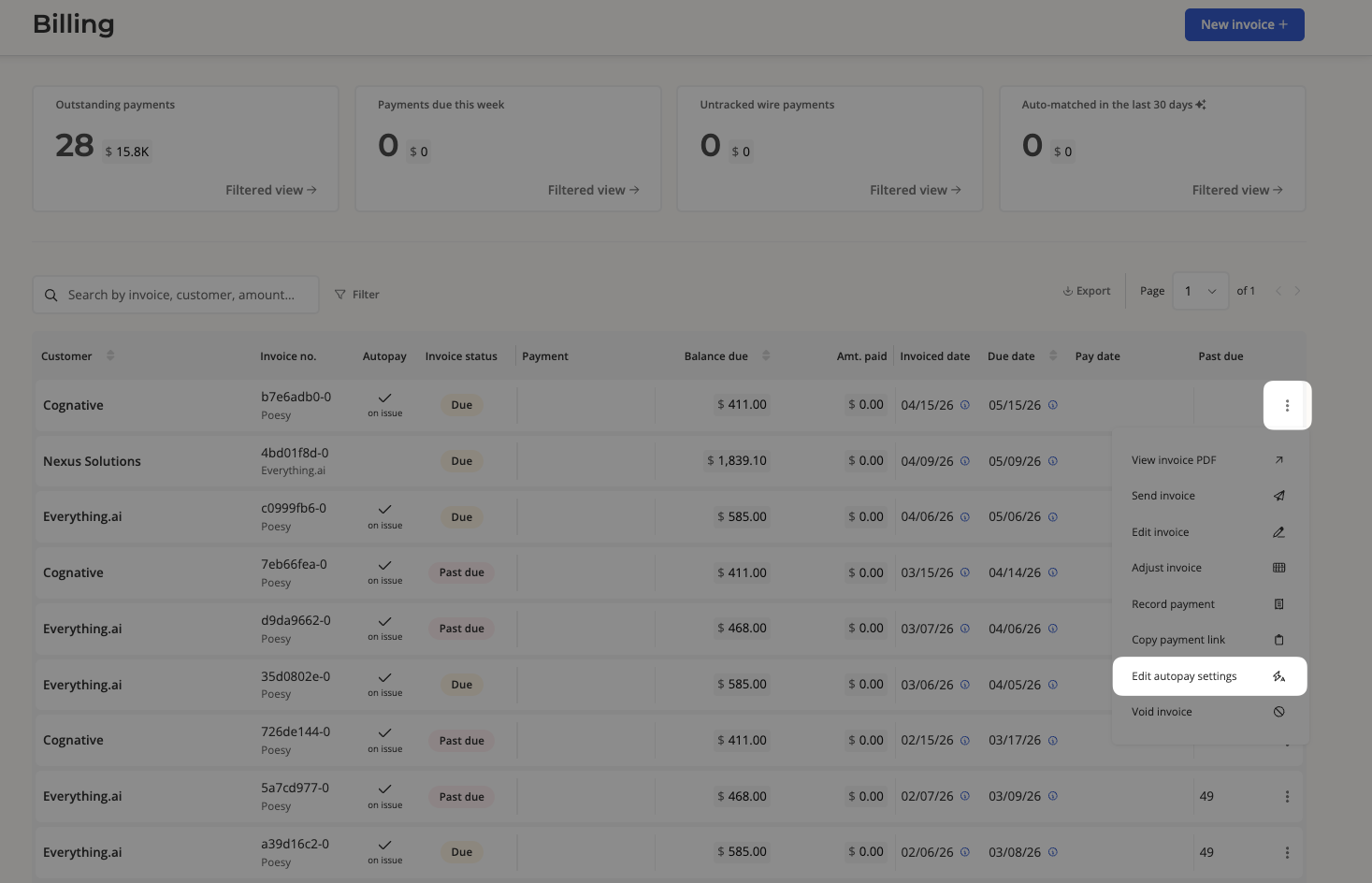
The “Autopay” column will tell you whether autopay is currently turned on or off for a customer:
a checkmark signifies that the customer is opted in
no checkmark signifies that the customer is opted out
If you would like to toggle this setting, simply hover over the right edge of the row, click the 3 dot icon, then click “Edit autopay settings.”
You will be presented with the options to enable or disable the customer's autopay, as well as determining the charge timing (options are invoice issue date or invoice due date).