How do I defer the first invoice to a future date?
Last updated: September 12, 2026
By default, the first invoice on an order is sent on the contract start date (or on the checkout date, depending on your First charge/invoice date setting).
If the customer should still pay the full contract value but the first payment should land on a later date, use a custom billing frequency.
Looking to skip billing entirely until a specific date?
If the period before your target date is being billed outside Salesbricks, or shouldn't be billed at all, use the billing start date instead. See How do I set the billing start date on an order?
How it works
You set the first billing period to $0 and move the amount into a period that starts on your target date. $0 invoices are not sent to the customer, so the first invoice they receive is the one dated on your chosen start date. The full contract value is still collected in Salesbricks.
Steps
Open the order in the order builder and scroll to Deal structure.
Under Billing frequency, select Custom.
Click View/update billing schedule to open the billing schedule editor.
Set the amount for the first billing period to $0.
Click Add billing period and set its start date to the date you want the first invoice sent.
Enter the amount for that period (use Fill to allocate the remaining balance), and add any further periods you need until the schedule totals the full contract value.
Click Update, then continue building the order as usual.
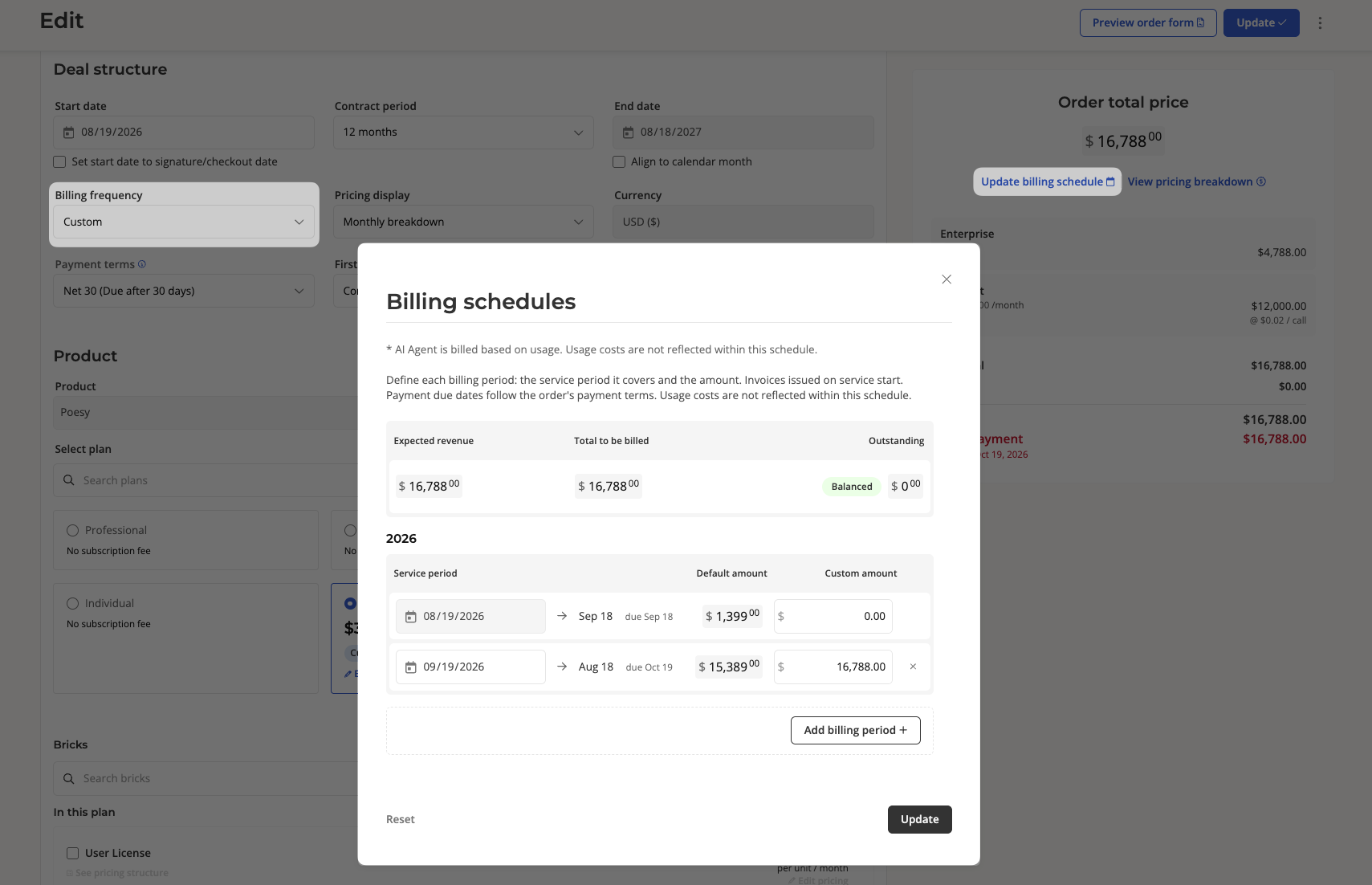
Payment terms (e.g. Net 30) are applied from each period's start date. The resulting due date is shown next to each row in the billing schedule editor.
If you don't see the Custom billing frequency option, this feature may not be enabled for your account. Reach out to Salesbricks Support and we'll get you set up.