Your public API token
Last updated: August 12, 2026
Overview
Salesbricks exposes a public API that lets you query your customers' subscriptions, billing information, entitlements, and custom metadata. Every seller account has exactly one API token: the same X-SALESBRICKS-KEY header token is used for all public API requests.
There is no separate key for GraphQL vs. REST calls — the same token covers all public API access. You cannot create multiple independent tokens; only one active token exists per account at any time.
If you need to rotate your token (for example, to revoke access from an old integration), you can reset it from the Public API page in Settings -> Integrations.
---
Your API token
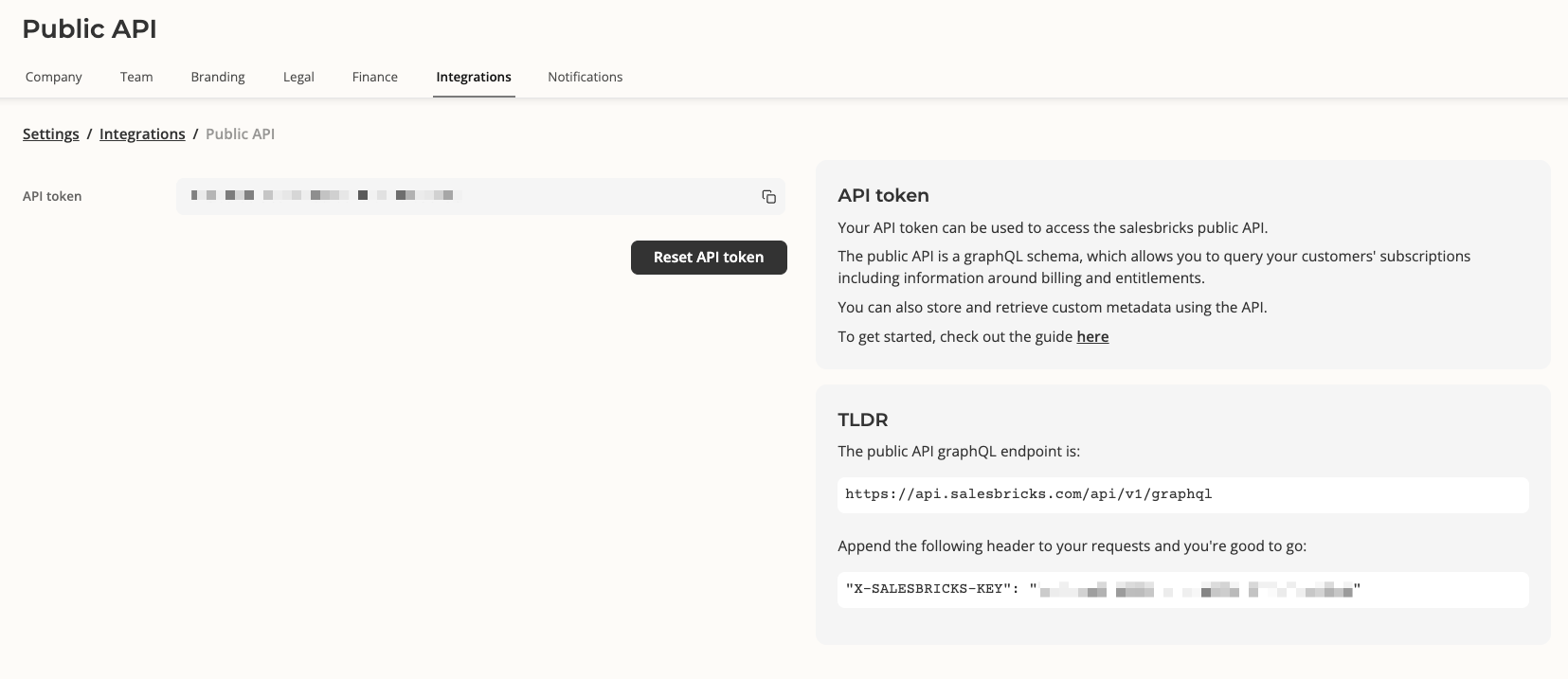
Your account has a single API token that authenticates all requests to the Salesbricks public API. It is passed as a request header:
"X-SALESBRICKS-KEY": "<your token>"This token works with our REST API endpoint at:
https://api.salesbricks.com/api/v2/customersAs well as our deprecated GraphQL endpoint at:
https://api.salesbricks.com/api/v1/graphqlFull API reference: docs.salesbricks.com/api-reference/getting-started/overview
---
How to view your API token
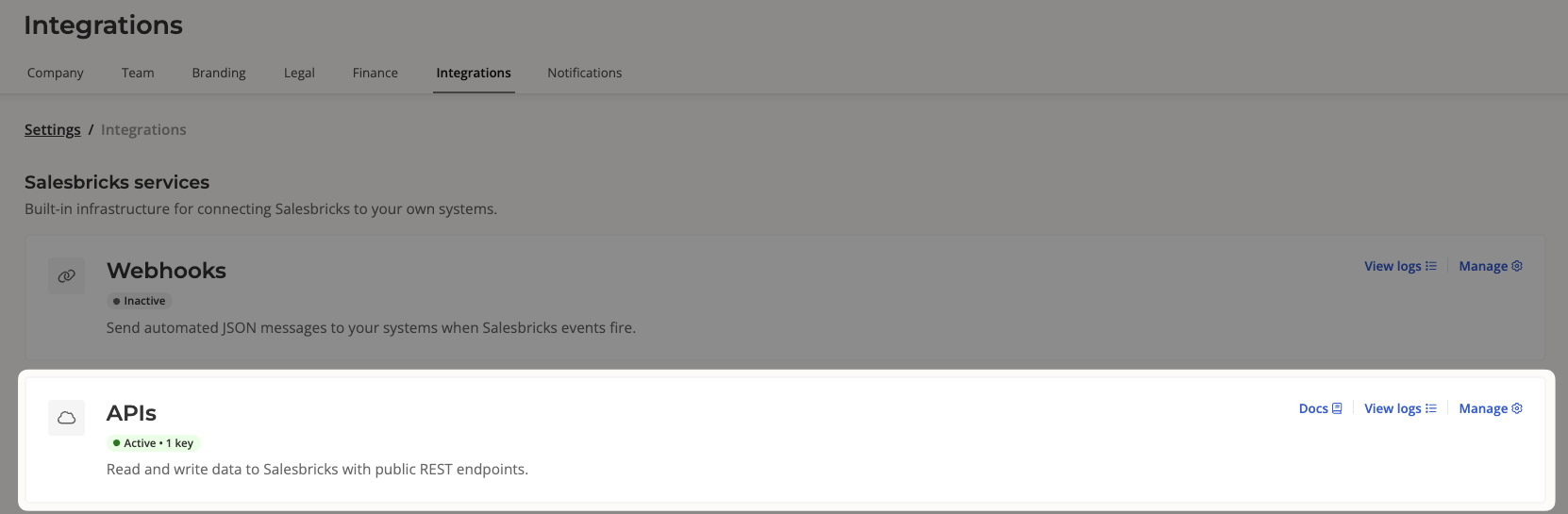
In your Salesbricks admin panel, navigate to Settings in the left-hand navigation.
Click the Integrations tab.
Under the Salesbricks services section, click the APIs card.
Your current token is displayed in the API token field. Click the copy icon next to it to copy the token to your clipboard.
---
How to reset your API token
Reset your token if it has been compromised or if you need to revoke access for a previous integration.
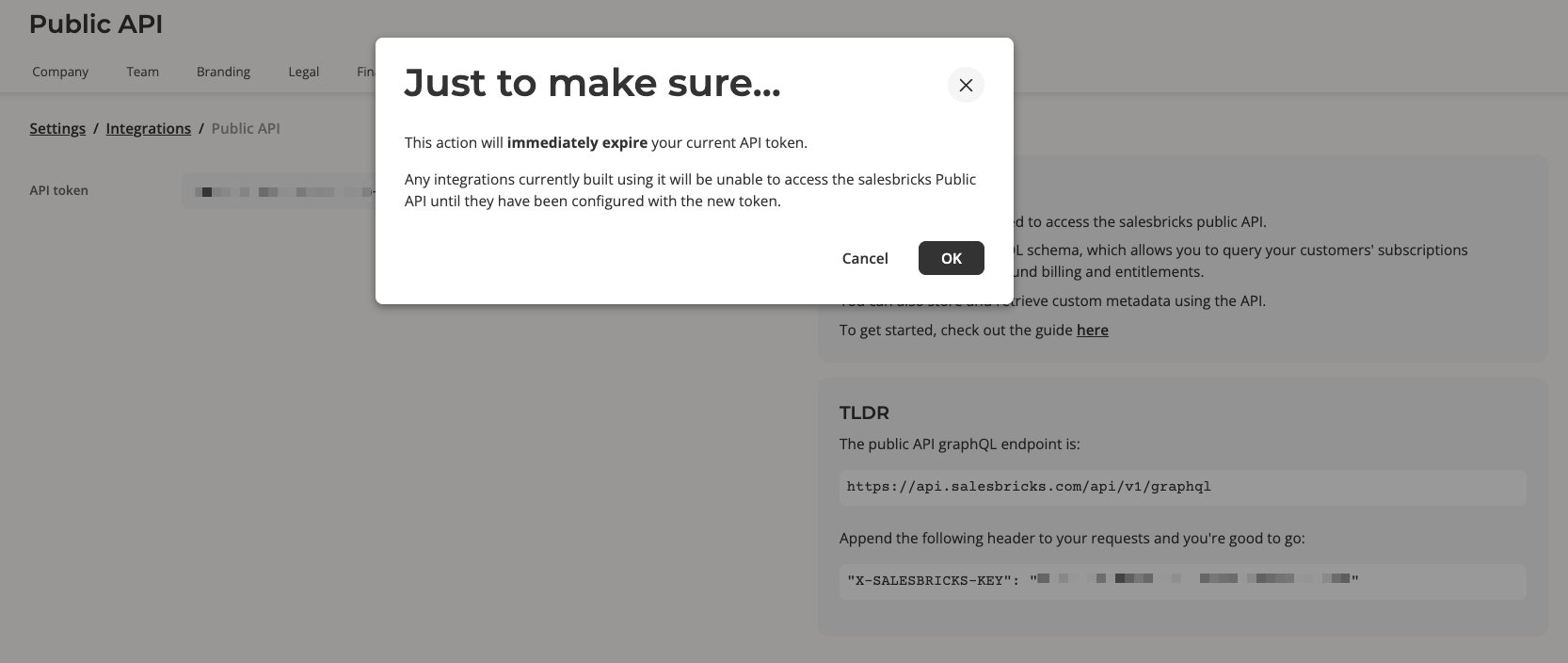
Warning: Resetting your token immediately expires your current token. Any integration using the old token will lose API access until it is updated with the new token.
Go to Settings → Integrations → APIs (as described above).
Click Reset API token.
A confirmation dialog titled "Just to make sure…" will appear, reminding you that the current token will expire immediately.
Confirm the action. Your new token is generated and displayed on the page, and a confirmation message "API token reset" will appear.
Copy your new token and update all integrations that use the old token.
---
Requirements
Requirement | Detail |
|---|---|
Role | Company admin |
API token count | One token per seller account — multiple independent tokens are not supported |
API type | REST and GraphQL APIs - the same `X-SALESBRICKS-KEY` token is used for all public API calls |