Why are invoices missing or not being generated for an order?
Last updated: October 28, 2026
If you notice that invoices are missing for certain billing periods, or that an invoice amount looks unexpected, the order may have a Skip Invoices Before date set. This field instructs Salesbricks not to generate any invoices before the specified date, under the assumption that billing for that period is being handled outside the system.
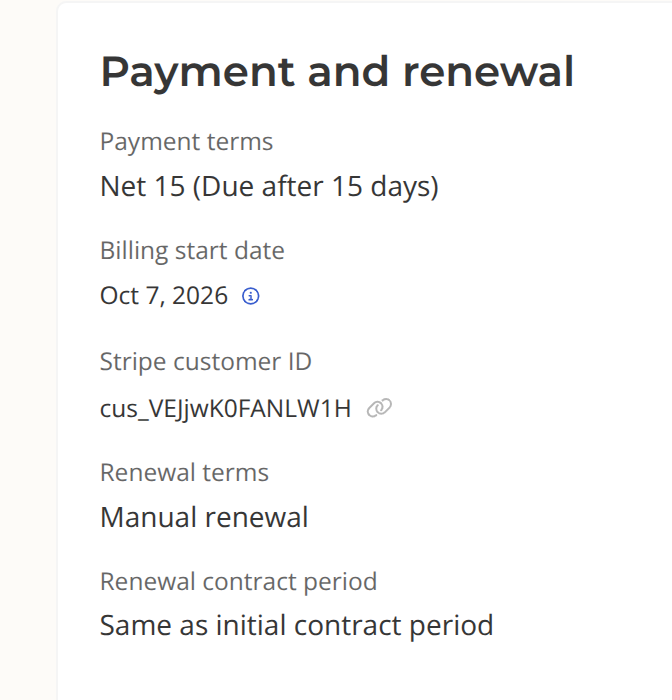
Note: This field was previously labeled Billing Start Date in older order forms..
How to check the "Skip Invoices Before" date
You can find this setting in the Order Form Builder under the deal structure details. Look for the Skip Invoices Before field, which contains a date value.
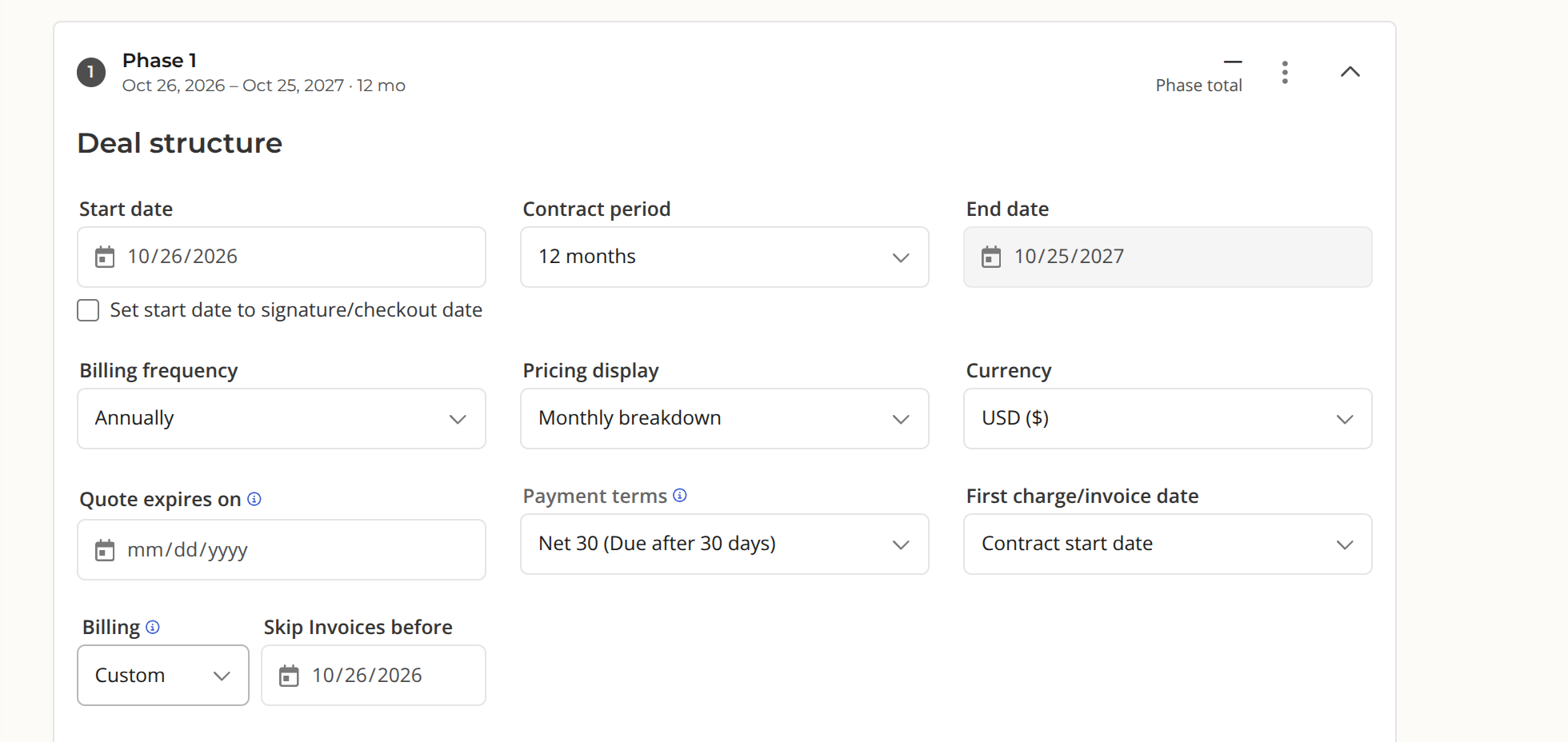
If this date is set to a date past the start of the contract Salesbricks will have skipped generating invoices for all billing periods before that date.
What to do if this was set unintentionally
If the Skip Invoices Before date was set by mistake and you have missing invoices as a result, please contact Salesbricks support. Our team can correct the setting and ensure any missed invoices are generated and processed appropriately.
You can also review the current billing start date on a customer's billing panel: