How to convert a monthly installment subscription to a single one-time invoice
Last updated: October 28, 2026
If a customer on a monthly installment plan wants to pay off their remaining balance in a single invoice, follow the steps below to issue a one-time invoice and stop future recurring invoices — without terminating the subscription.
Step 1: Issue a one-time invoice for the remaining balance
Create and send a one-time invoice for the full remaining balance owed on the subscription. This invoice will be linked to the subscription automatically, so the account history remains intact.
Step 2: Void the remaining scheduled monthly invoices
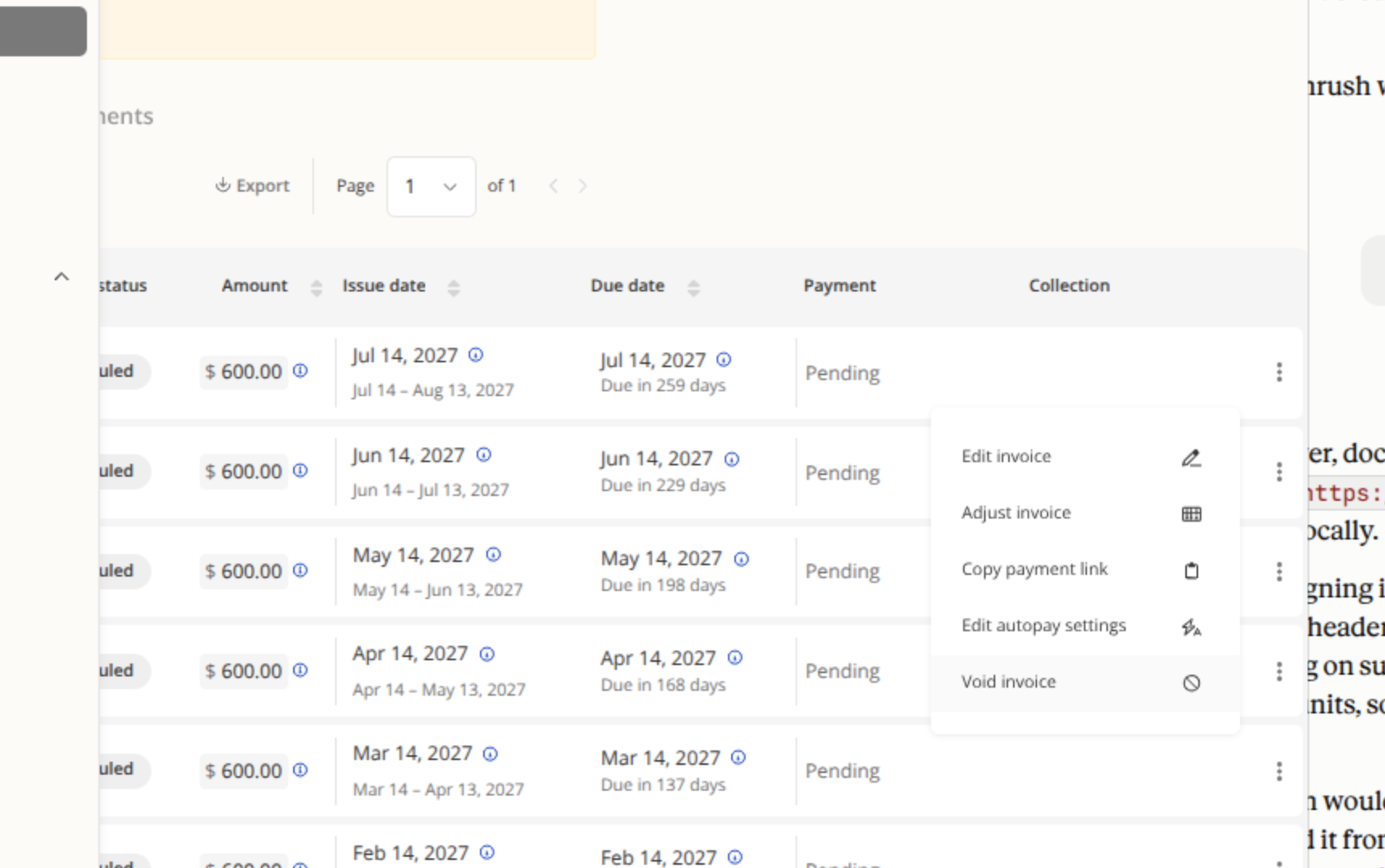
Rather than terminating the subscription (which would affect access and send notifications to the customer), void the outstanding scheduled invoices individually. This keeps the subscription intact and avoids sending unwanted emails to the customer.
To void an invoice:
Navigate to the customer's account and open their invoice list.
Find each remaining scheduled monthly invoice.
Click the action menu (⋮) next to the invoice and select Void invoice.
Repeat for all remaining scheduled invoices.
Step 3: Record the one-time invoice as paid
Once payment is received, mark the one-time invoice as paid. At that point, the account will show as fully paid up, and the voided invoices will make clear that the balance was settled via the lump-sum payment.
Note: If the order is already closed/signed, the option to disable billing on the order will not be available. Voiding invoices is the recommended approach in this case, as it preserves the subscription and avoids notifying the customer.