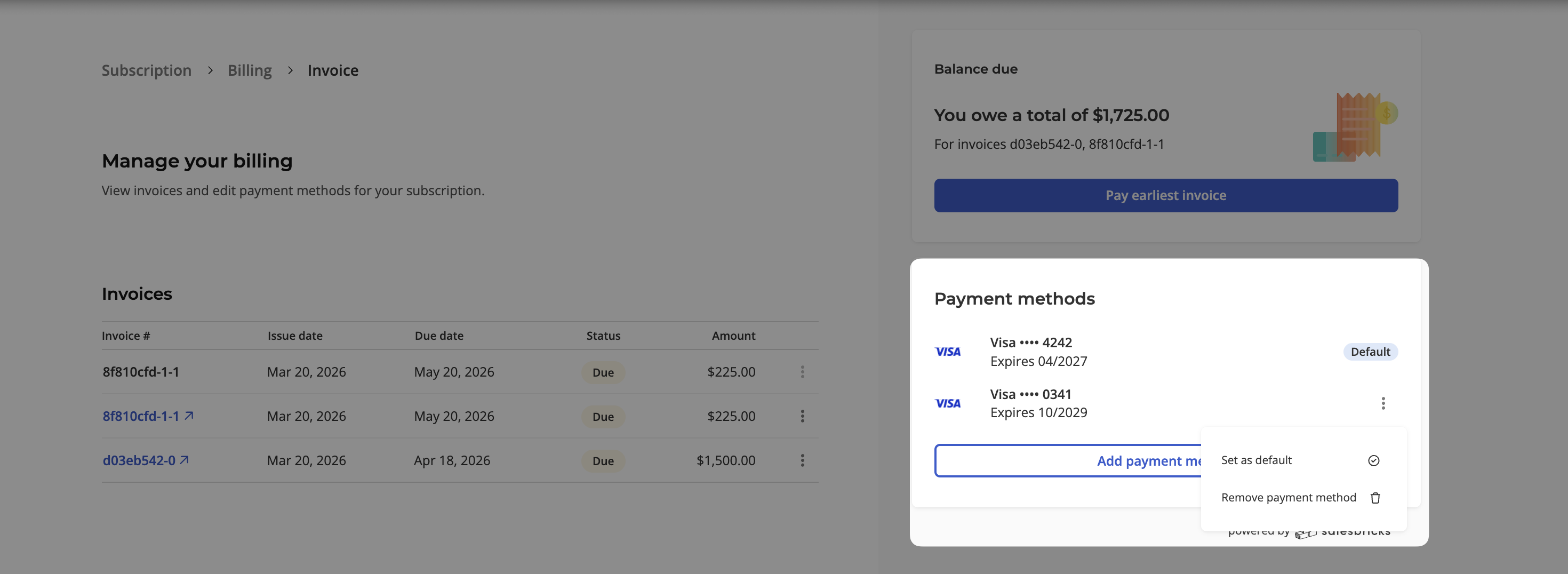
How can my customer change their credit card details?
Last updated: March 27, 2026
You can send your customer a URL that will allow them to manage their subscription, including:
Details: Viewing subscription details (subscription period, billing schedule, point of contact, accounts payable emails, and plan details)
Billing: View an invoice overview, drill into specific invoices, and pay them through the paywall.
Manage their payment method: Add, remove, or mark a credit card as their primary payment method on file.
Follow the steps below to send your customer the Customer portal URL.
Navigate to the Customers tab and click on the desired customer.
On the subscription card, click View subscription.
Locate the Customer portal and click on the copy icon.
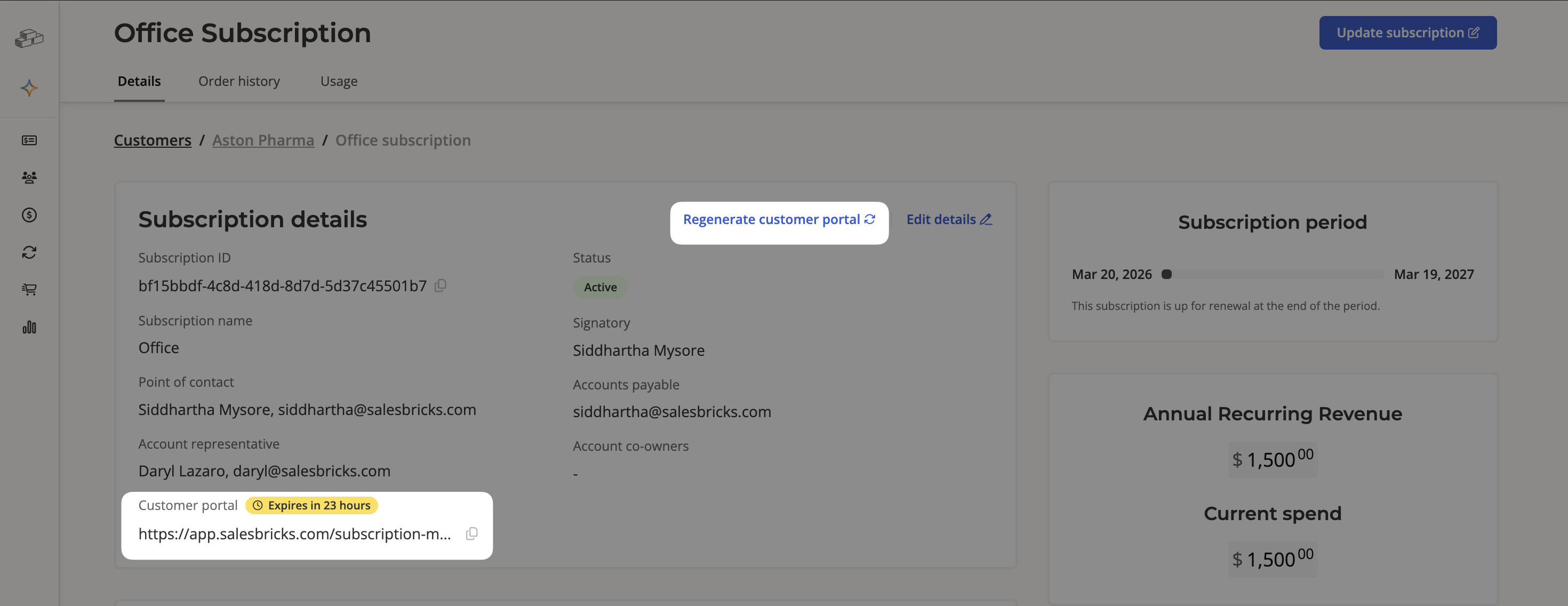
Send this URL to your customer with instructions to click on the Manage Billing button to redirect to the Billing page, where customers can add or change default payment methods.