How do I update a customer's name?
Last updated: April 25, 2025
Go to Customers and select the desired customer.
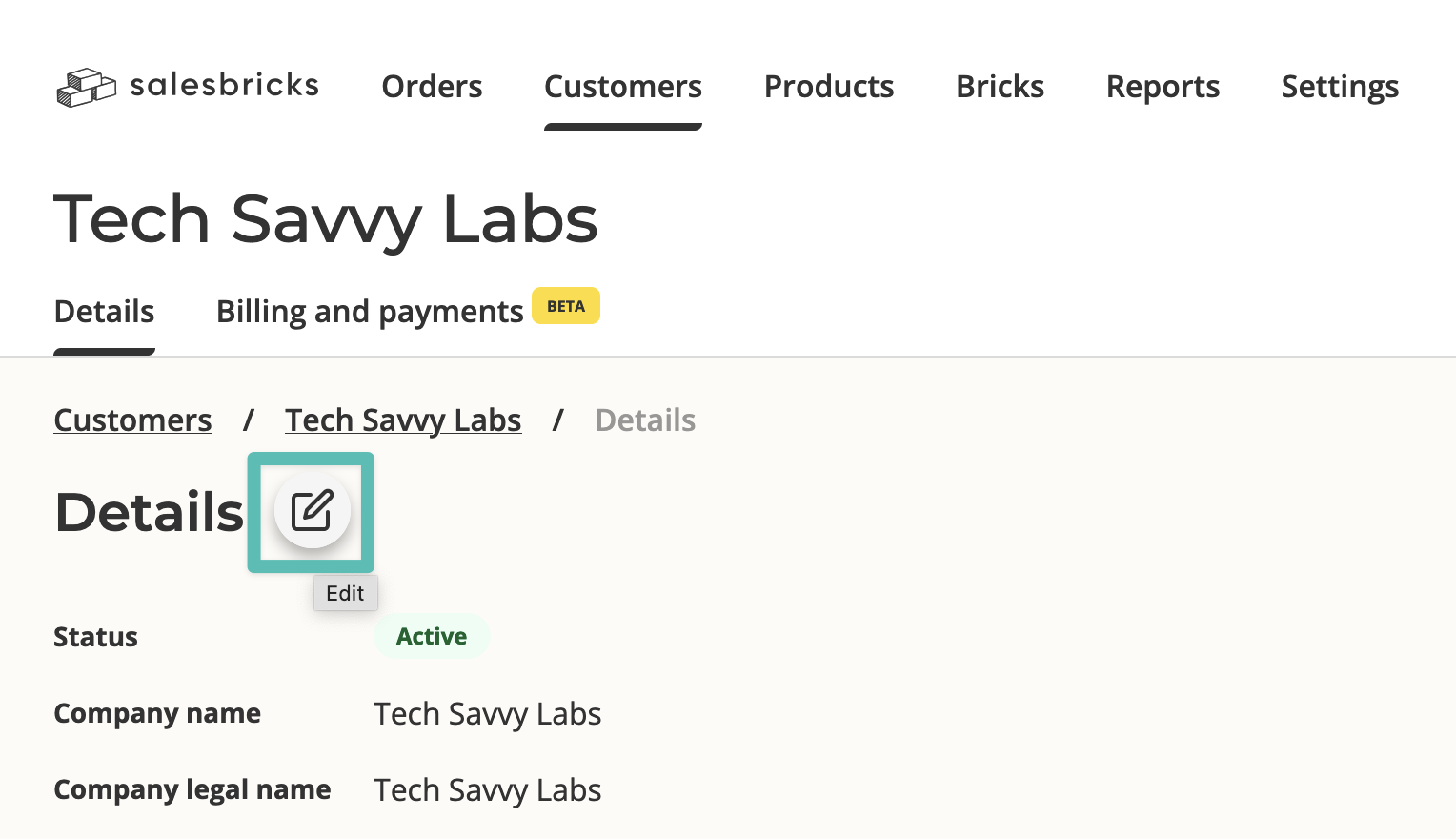
Click the Edit icon next to the "Details" header.
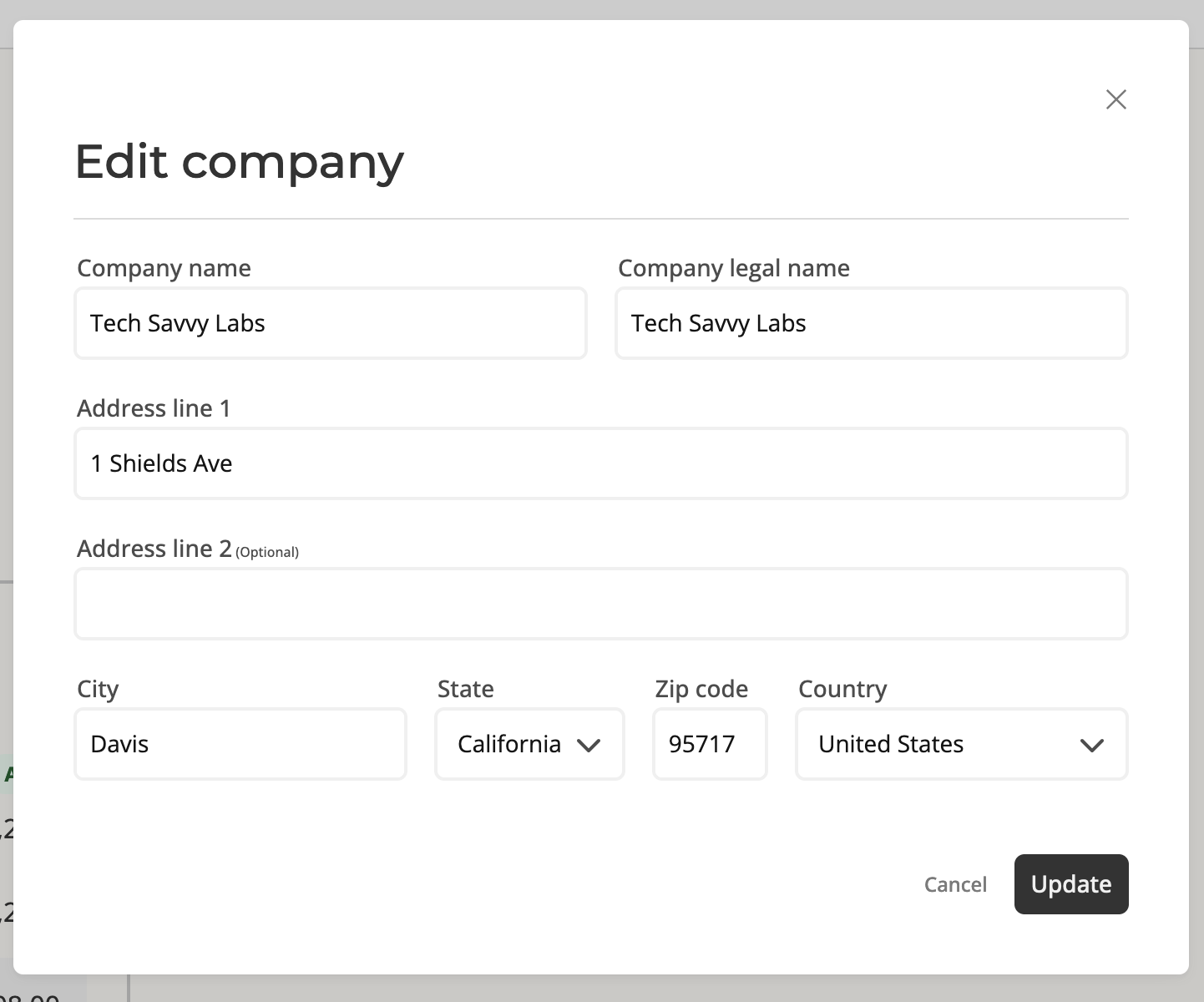
You may edit the company (DBA) name, as well as their legal name.
Last updated: April 25, 2025
Go to Customers and select the desired customer.
Click the Edit icon next to the "Details" header.
You may edit the company (DBA) name, as well as their legal name.