Included Units on Upgrade Orders: Replacement Value Behavior and When to Use Pre-Commitment Instead
Last updated: July 10, 2026
Overview
When building an upgrade order in Salesbricks, the Included units field on a line item behaves differently than many users expect. Editing this value does not add to the existing included units from the prior order — it replaces them entirely. Understanding this distinction helps you avoid pricing errors and ensures your customer's subscription reflects the correct entitlements.
This article covers:
How included units work on upgrade orders
What to do if you edited included units incorrectly (recast the order)
When to use included units versus pre-commitment
---
What Are Included Units?
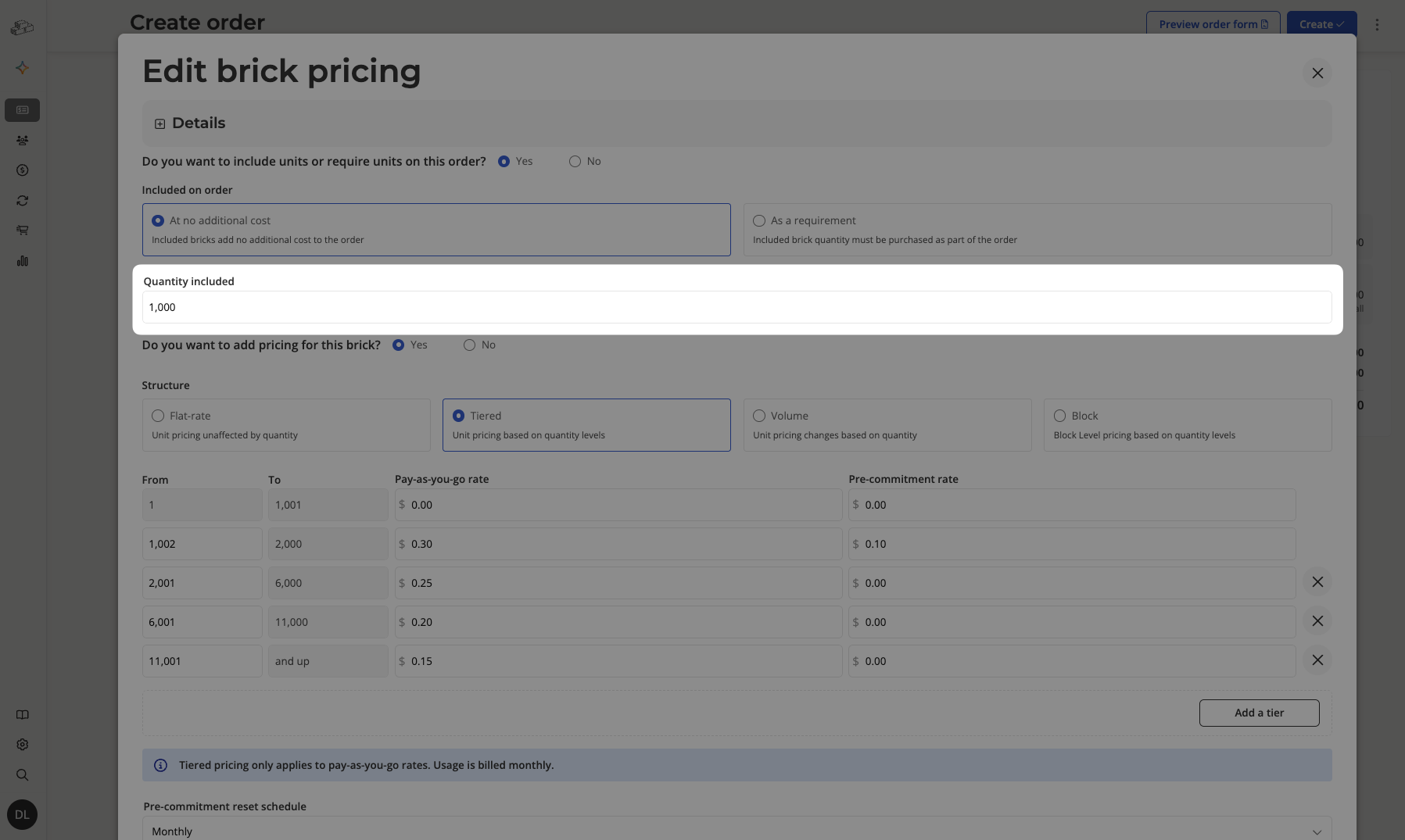
Included units are a quantity of a given usage brick that is bundled into the base price of a plan at no additional charge. For example, if a plan includes 1,000 API calls at $0, the first 1,000 units are "included." Usage beyond the included quantity is billed at the overage rate.
Included units are configured at the brick pricing level and flow through to every order that uses that pricing.
---
Critical Behavior: Included Units on Upgrade Orders Are a Replacement, Not a Delta
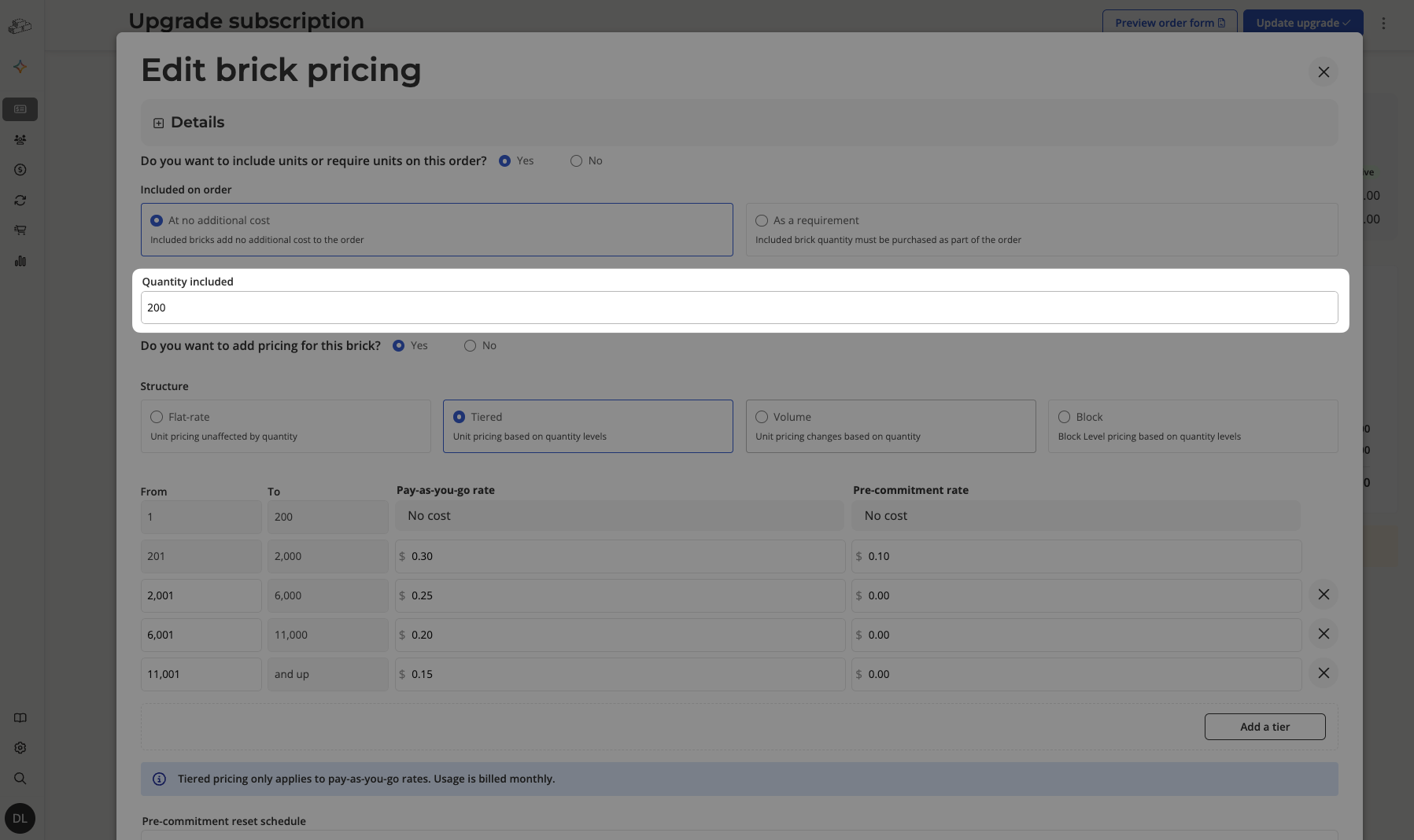
Important: When you edit the Included units value on a line item inside an upgrade order, the value you enter replaces the existing included units for that line item. It is not added on top of what was already included in the prior agreement.
Example
A customer's current subscription includes 500 included units for a usage brick. You create an upgrade order and want to give them an additional 200, so you type 200 in the Included units field.
What you might expect: 500 (existing) + 200 (new) = 700 total included units
What actually happens: The included units are set to 200 — replacing the prior 500
This means the customer would end up with fewer included units than before, which can affect billing immediately upon the upgrade closing.
---
How to Fix an Incorrectly Edited Included Units Value
If you have already saved or submitted an upgrade order with an incorrect included units value, the recommended resolution is to recast the order.
A Recast starts the subscription fresh with new terms. The old contract is ended and any remaining value is credited to the new one. This gives you a clean slate to set the correct included units value without the replacement-vs-delta ambiguity of an upgrade.
Steps to Recast the Order
In the left sidebar, click Customers.
Open the customer record whose subscription needs to be corrected.
Navigate to the subscription that has the incorrect upgrade order.
Click Update subscription in the page header.
In the drawer that appears, select Recast.
Click Recast subscription.
In the new recast order, set the Included units field to the correct total value you want the customer to have going forward.
Complete and close the recast order as normal.
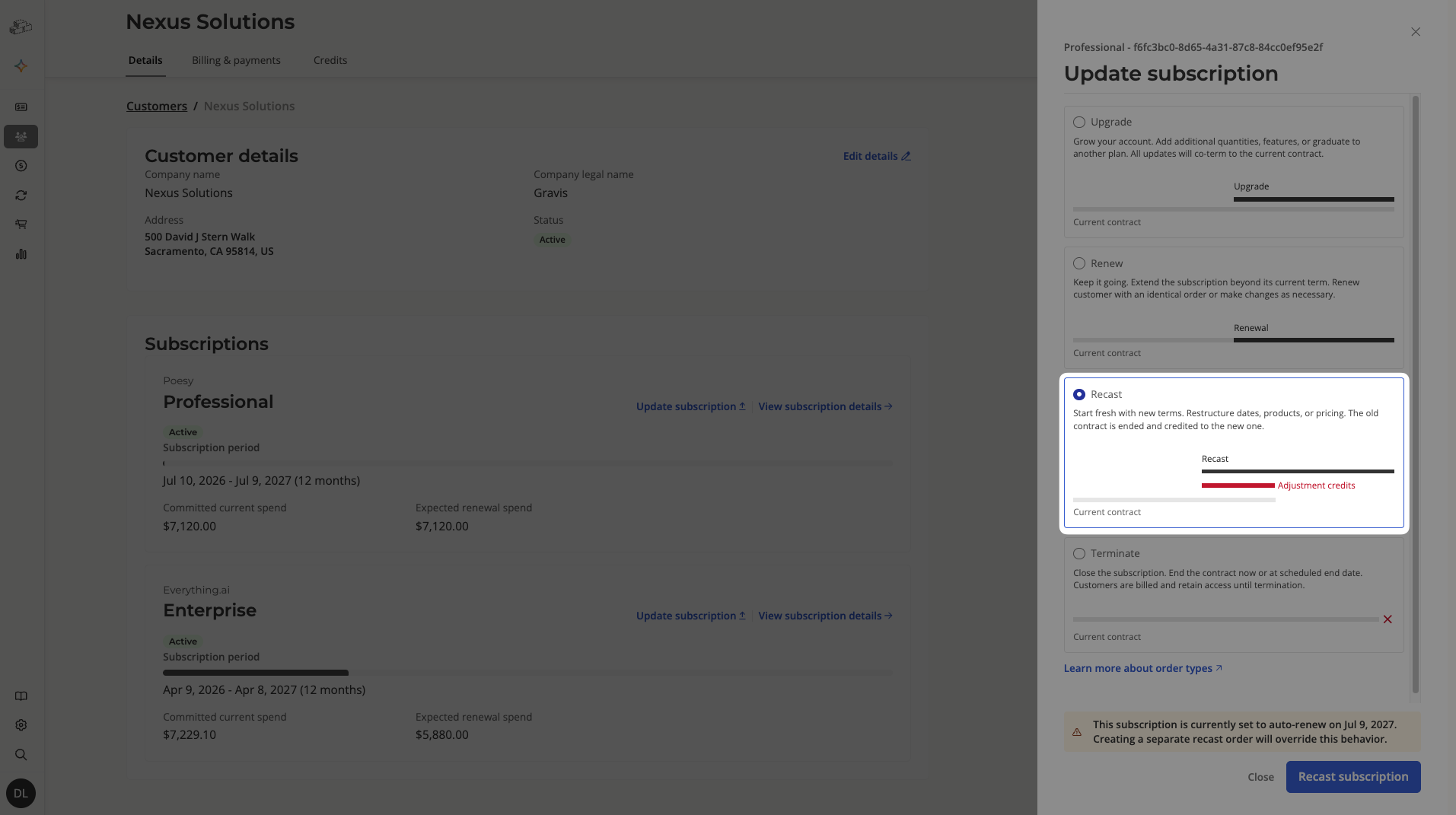
Note: A recast resets the subscription timeline and credits any payments your customer has already made toward the new contract as adjustment credits. Confirm the effective start date and credited amount with your customer before closing the order.
---
Included Units vs. Pre-Commitment: Which Should You Use?
Both included units and pre-commitment allow you to give a customer access to a quantity of usage before overage billing begins — but they work in fundamentally different ways and serve different commercial purposes. Use the table below to choose the right tool.
Included Units | Pre-Commitment | |
|---|---|---|
What it is | A fixed quantity bundled into the plan at $0 | A quantity the customer commits to buying upfront, billed at the pre-commitment rate |
Cost to customer | Free — covered by the base plan price | Paid — invoiced on the pre-commitment schedule (e.g., monthly, annually) |
Who bears the risk | Seller — included usage is never charged back | Customer — they pay for committed units whether or not they use them |
Typical use case | Sweetening a plan tier; giving a base entitlement as part of packaging | Securing volume pricing; locking in a rate for expected high usage |
Appears on invoice as | Invisible — absorbed into plan pricing | A separate line item on each billing cycle |
Affects overage billing | Units are subtracted before overage kicks in | Committed quantity is drawn down first; overage applies only above the commitment |
Configured on | Brick pricing (product catalog level) or overridden per order | Per line item when building or editing an order |
When to Use Included Units
Use included units when:
Your plan packaging promises a certain quantity at no extra charge (e.g., "Starter plan includes 1,000 events/month").
You want to offer a grace quantity to all customers on a given plan tier without separate invoicing.
The included quantity is fixed by the plan design and should not vary by customer negotiation.
When to Use Pre-Commitment
Use pre-commitment when:
A customer wants to lock in a discounted rate by committing to a volume upfront.
You are structuring a usage deal with a minimum spend or minimum units guarantee.
The committed quantity is negotiated deal-by-deal rather than set at the plan level.
You need the commitment to appear as a billable line item on the customer's invoices.
Included units are free entitlements; pre-commitment quantities are billed on a schedule.