How do I close an order manually?
Last updated: June 22, 2026
Create an order and save it.
Click "Close order." This bypasses the customer checkout flow.
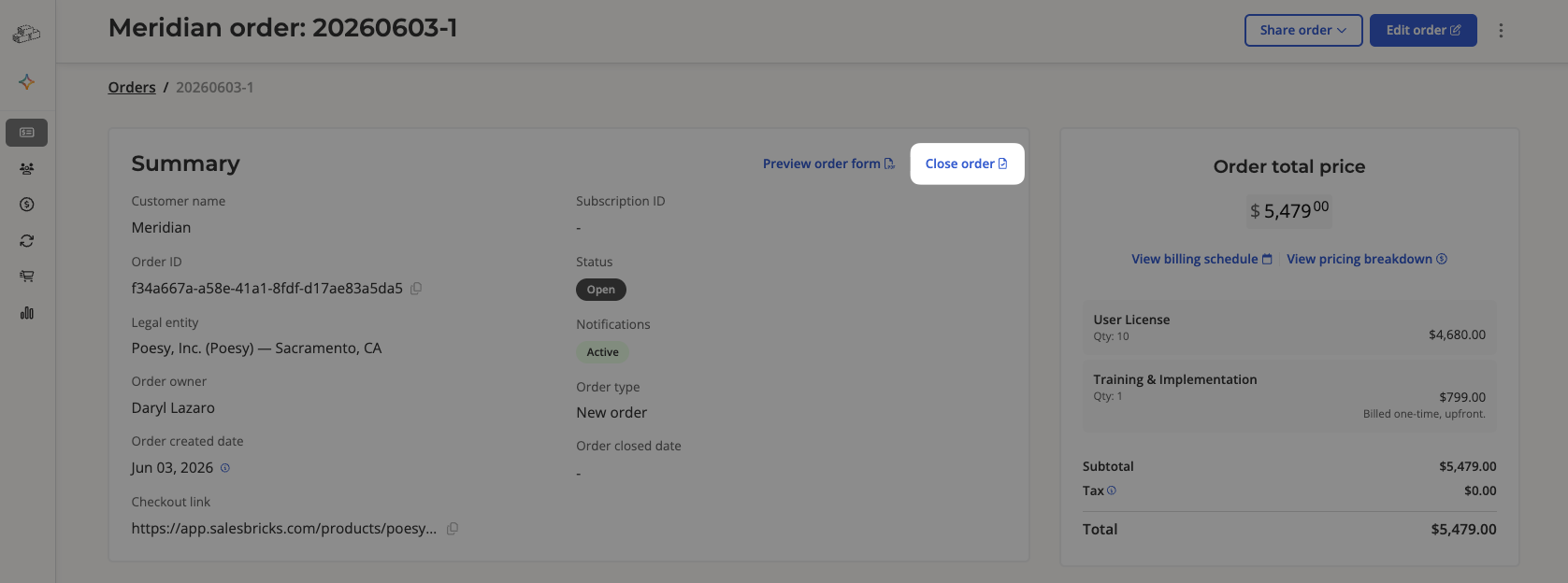
To close the order:
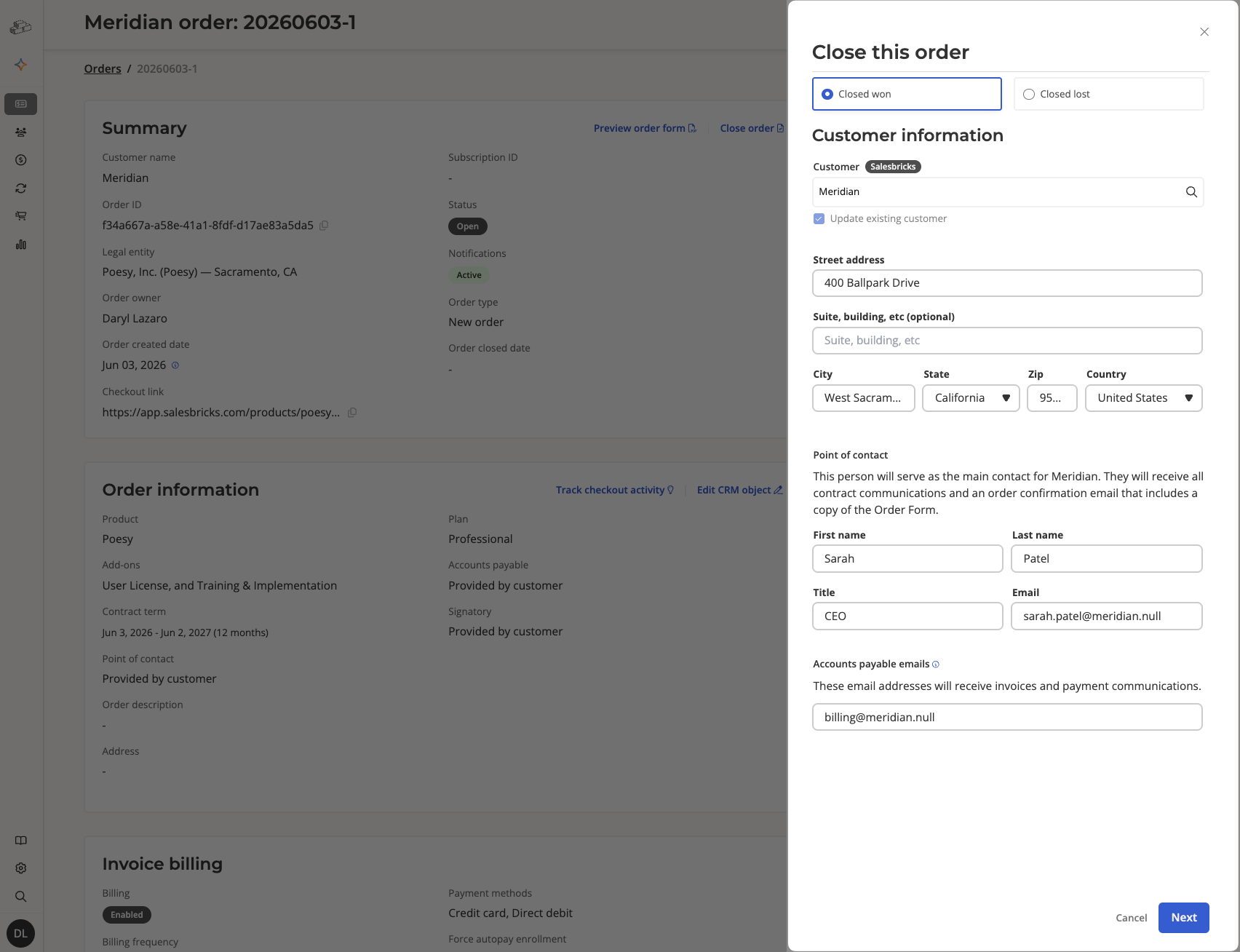
Mark it as closed won or lost
Provide the customer's name and address, point of contact name and email, and accounts payable
Optional steps on the next page:
Upload signed order form (no longer required to close an order manually)
Provide a purchase order
Attempt to charge the amount due on the first invoice. The order will not be marked closed won unless payment is successful. (By default, Salesbricks closes the order whether or not an immediate charge is successful.)
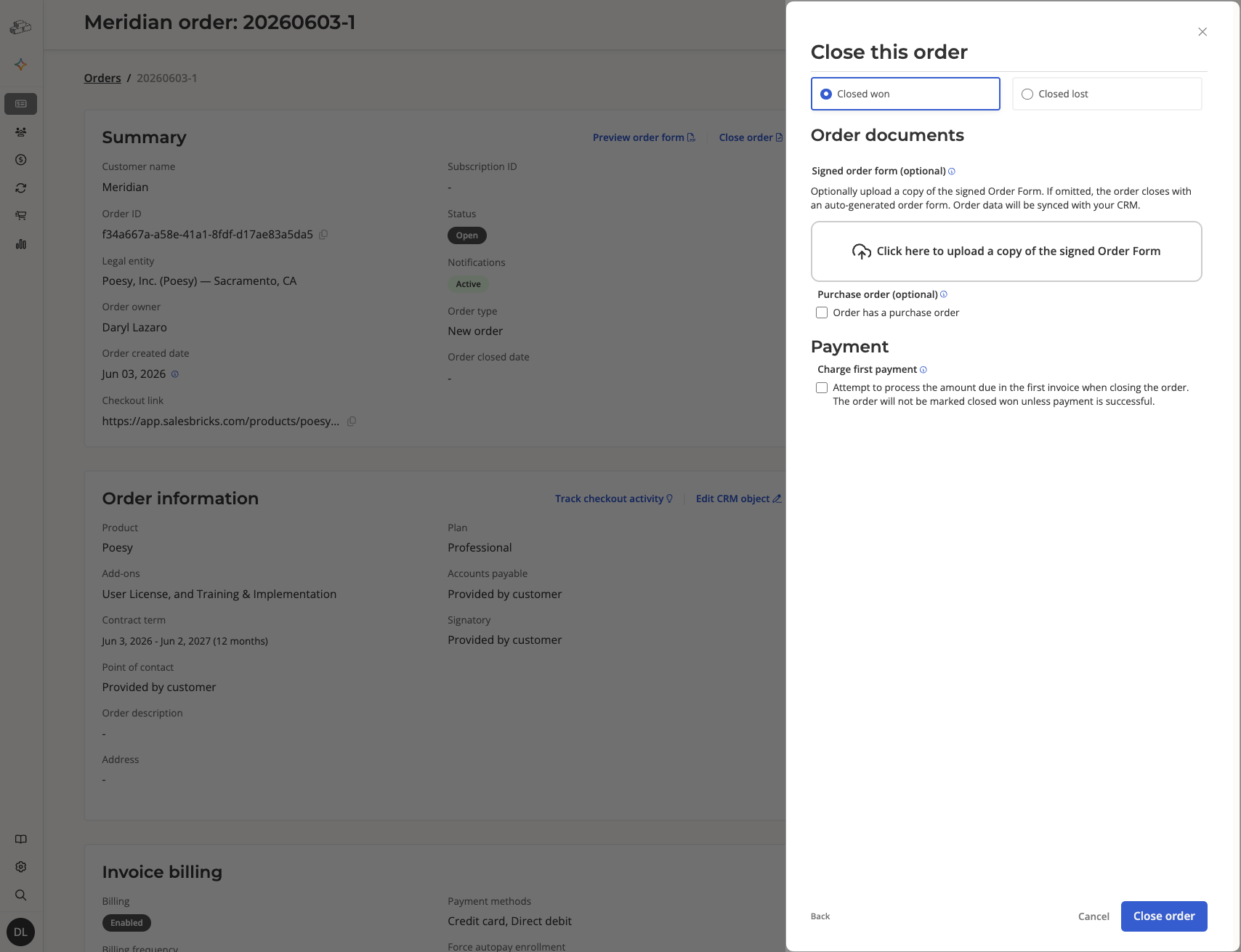
Click "Close order" to finish.
When you close an order manually, the customer will receive an order confirmation email.
To mute the email:
edit the order while it's still in an Open stage
scroll to the Additional options section
check the Mute notifications checkbox and save the order
This setting will block sending emails to the customer about their subscription lifecycle.
If you do not see the "Mute notifications" checkbox, please reach out to Salesbricks support to enable this feature.