
What is the difference between company name & legal name?
In addition to a customer's company name, you have the ability to define their legal name, should it differ from their DBA.
You may view and update these values by going to Customers, then selecting your desired customer.
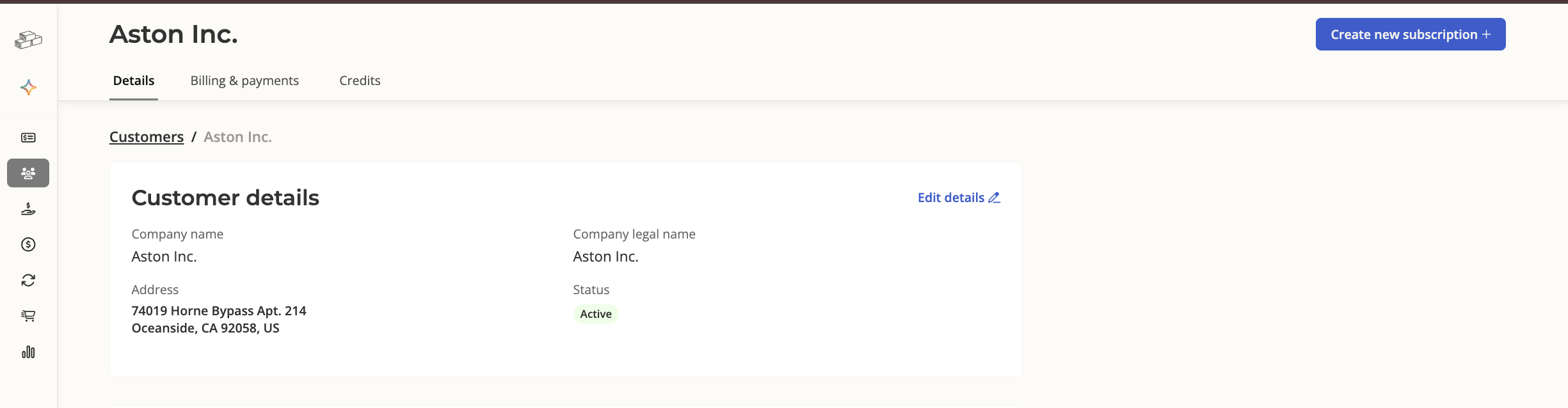
Company name
This is the customer's DBA (doing business as) name.
Generally, Salesbricks uses this name when referring to a customer, unless the use of the legal name is stated explicitly.
Company legal name
When an order is created, the customer's legal name defaults to their DBA.
Your customer has the option of updating their legal name at the time of checkout.
You (the seller) have the option of updating their legal name in the Customers view, after the order is closed won.
The legal name is visible under the customer's details (see screenshot above), customer checkout, the order form (anywhere legal name is referred to explicitly), and our invoice paywall.
Why won't "Same as legal" stay unchecked?
If you uncheck Same as legal and save without changing the name, the checkbox goes back to checked. It stays unchecked only after you enter a different name.
This is intentional. The checkbox protects against reps accidentally overwriting a customer's legal name, often through browser autofill, which has caused invoices to go to the wrong company.
[VERIFY: which screen(s) show the "Same as legal" checkbox]
When to use
You may use either company name or legal name when searching for a customer in the Orders list, Customers list, or Omnisearch. Using either name will yield the same results.