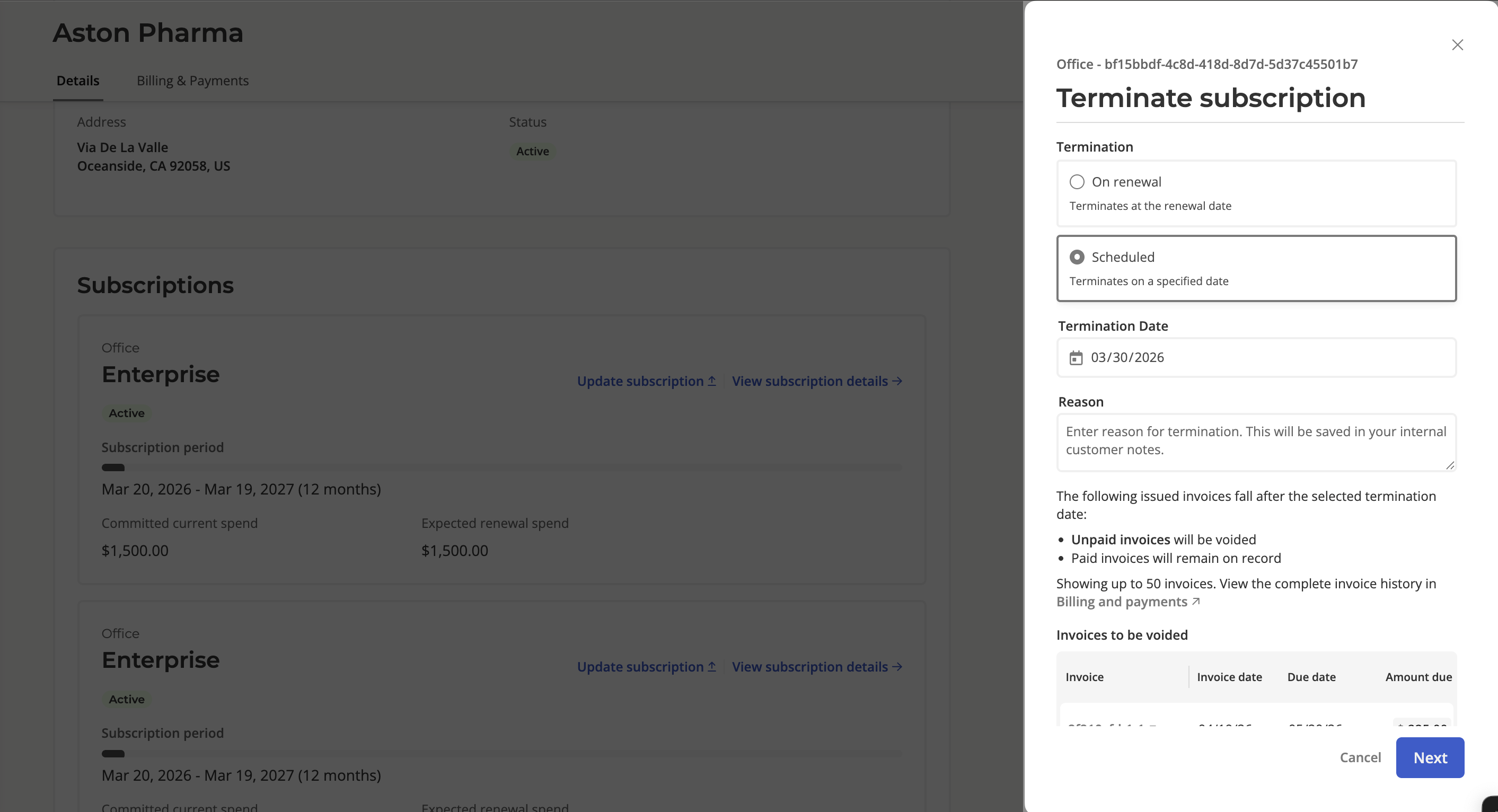
How do I terminate a subscription?
Last updated: April 20, 2026
Go to Customers and select your customer.
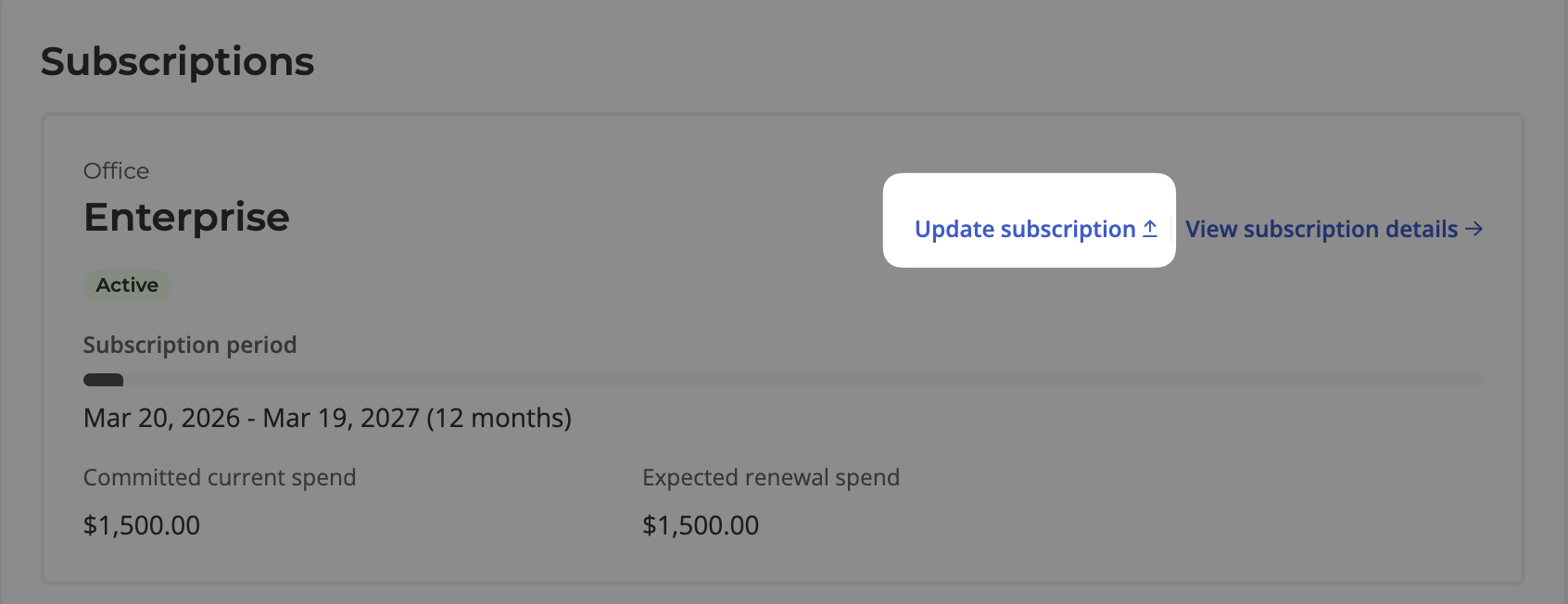
Under the Subscriptions tab, find the desired subscription card and click Update Subscription.
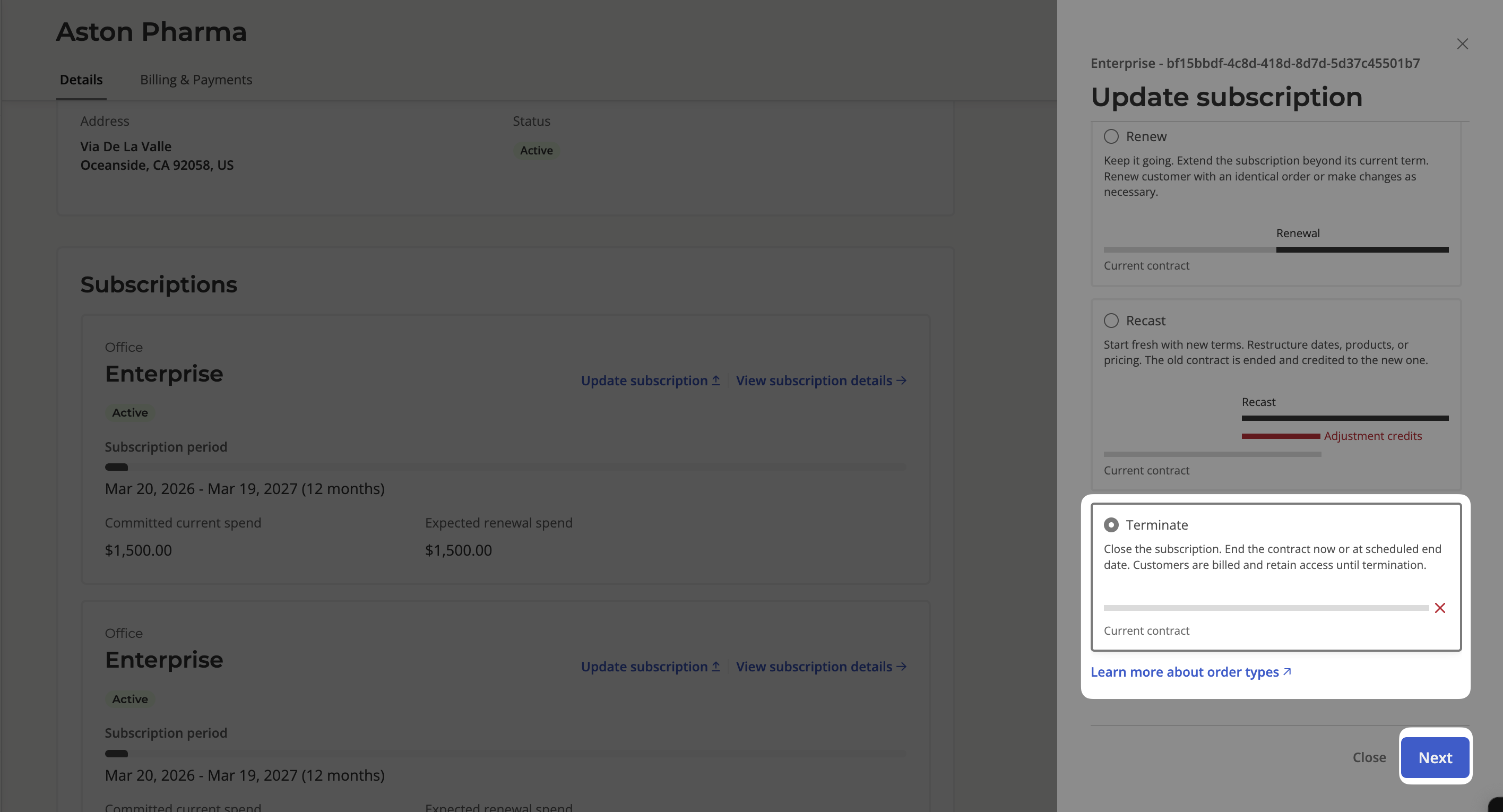
Select Terminate and click Next.
You can set the subscription to terminate on renewal, or on a specific date. Additionally, you can add a note (optional and visible internally only) in regards to the termination.