How do I delete an open order?
Last updated: July 22, 2024
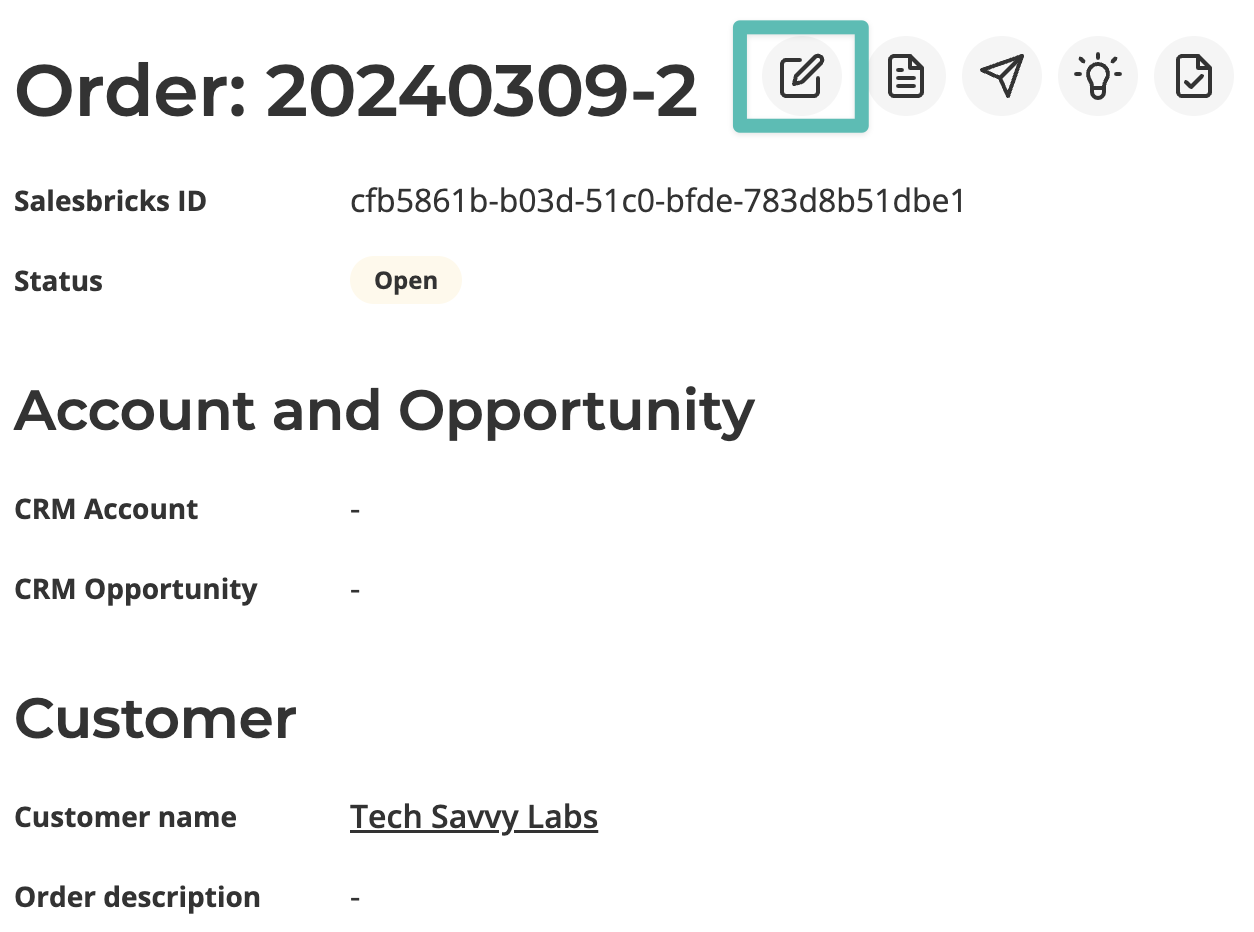
Go to the desired order. Click the Edit icon.
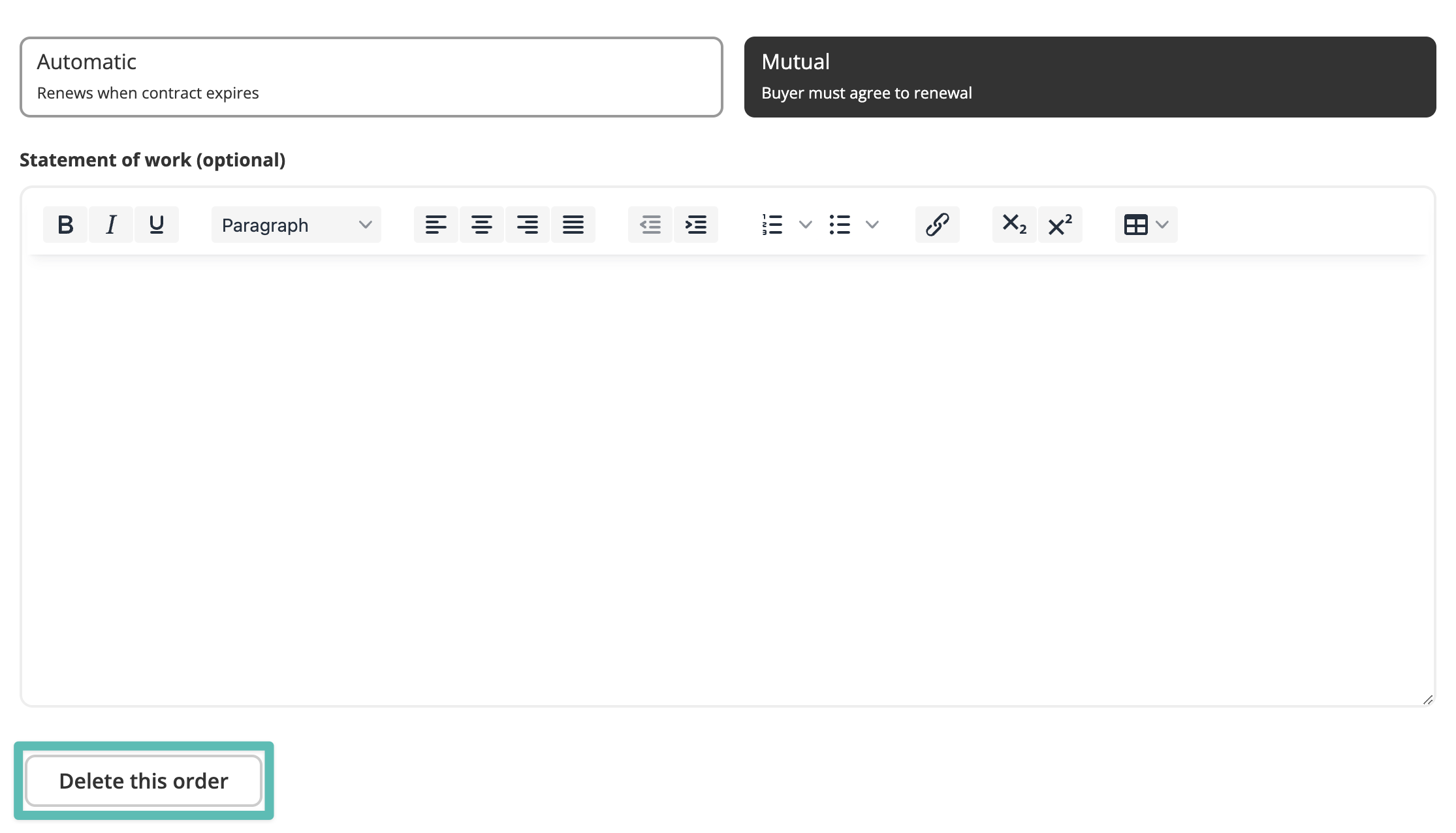
Scroll to the bottom of the order builder and click Delete this order.
Last updated: July 22, 2024
Go to the desired order. Click the Edit icon.
Scroll to the bottom of the order builder and click Delete this order.