How do I reset a custom order share email template?
Last updated: March 24, 2025
This article is for sellers who have the custom order share email template enabled.
To enable your team with this feature, reach out to Salesbricks Support.
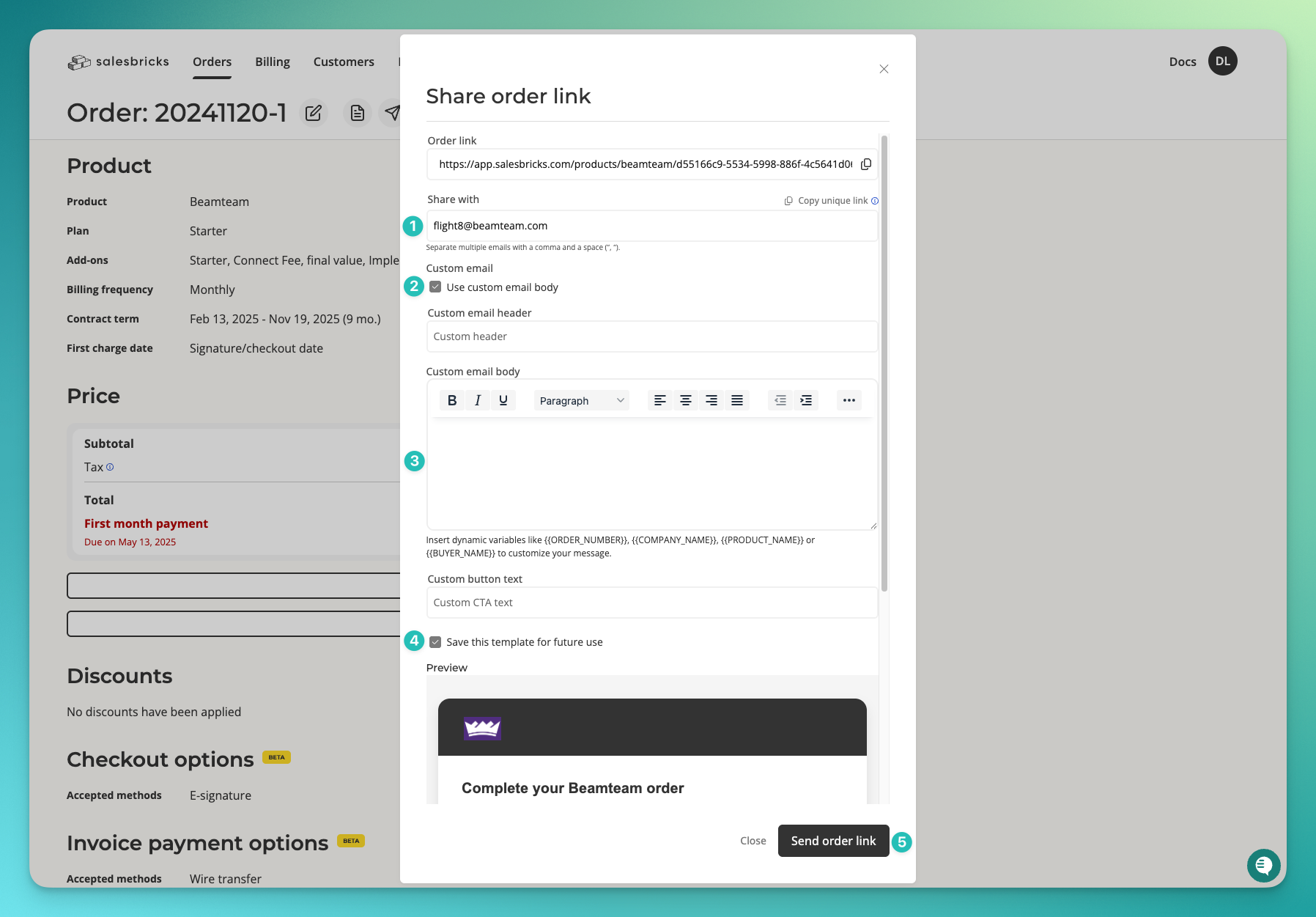
In the "Share with" field, enter your own email address.
Leave the "Use custom email body" checkmark checked.
Clear the following fields:
Custom email header
Custom email body
Custom button text
Leave the "Save this template for future use" checkmark checked.
Click the "Send order link" button to send the email to yourself, and reset the template to its default values.